
Description
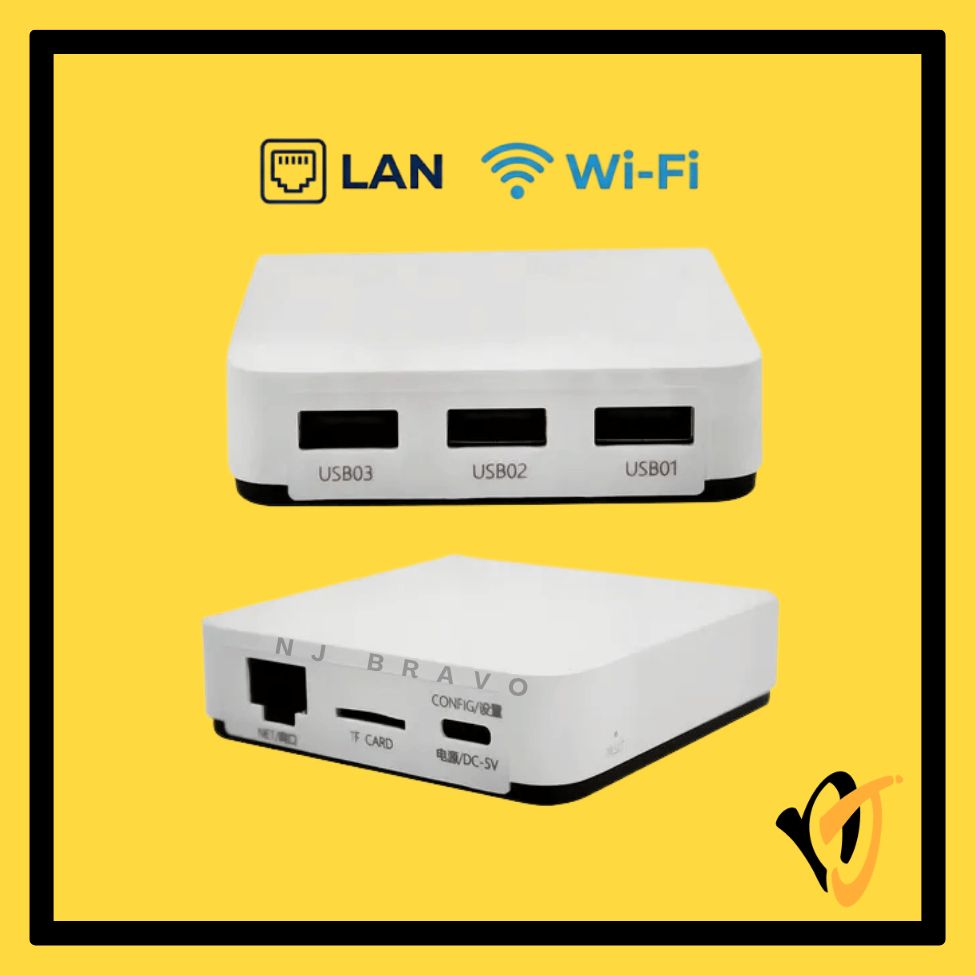
NP332NW Multi-Interface 3-Port USB Wireless Network Print Server
Source Details
Multi-interface network print server supporting up to 3 USB printers simultaneously over Wi-Fi and wired Ethernet.
Key Features
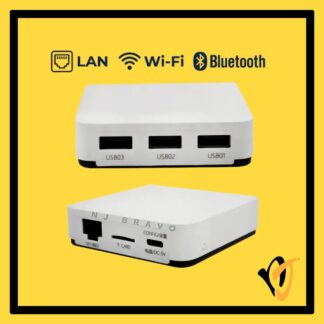
- New NP332NW multi-interface network print server — supports up to 3 USB printers simultaneously
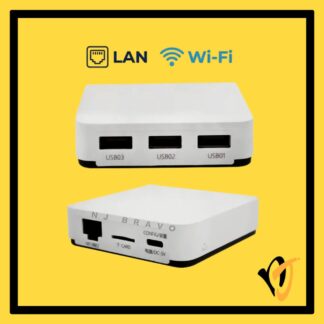
- Triple USB 2.0 host ports (USB1 / USB2 / USB3) — share up to 3 printers concurrently
- Dual connectivity — 802.11b/g/n Wi-Fi AND 10/100Mbps wired RJ45 Ethernet
- Supports TCP/IP printing protocols including LPR/LPD; compatible with Windows
- ARM9 300 MHz processor, 128 MB Flash for stable multi-user print handling
- Type-C USB port for power supply and initial configuration (Windows config tool included)
- TF card slot for local storage expansion — supports up to 256 GB
- Web-based management interface; DHCP and static IP supported
- Compact design (70 x 70 x 18 mm, ~50 g), powered by 5V DC
Technical Specifications
| Brand | NP Series |
|---|---|
| Model | NP332NW |
| Condition | New |
| USB Ports | 3x USB 2.0 Type-A Host (USB1 / USB2 / USB3) |
| USB Config Port | 1x USB Type-C (power & configuration) |
| Network Port | 1x RJ45 Ethernet — 10/100Mbps |
| Wireless | 802.11b/g/n, 2.4 GHz Wi-Fi |
| Print Protocol | TCP/IP, LPR/LPD |
| Processor | ARM9 300 MHz |
| Flash Memory | 128 MB |
| TF Card Slot | Yes — up to 256 GB |
| Power | 5V DC |
| Dimensions | 70 x 70 x 18 mm |
| Weight | ~50 g |
| OS Support | Windows 10 / Windows 11 |
| Print Port Range | 9100–65535 (configurable per USB port) |
!
Disclaimer
Always verify your printer’s connection type and network requirements before ordering.
If you are unsure which model is suitable, chat with the NJ Bravo team before ordering. We will help you check the part number, connector, and compatibility.
Package Contents
- 1x NP332NW Wireless 3-Port USB Network Print Server (New)
- 1x USB Type-C Cable
- 1x Quick Start Guide
Warranty
- 3-month replacement warranty
- Covers manufacturing defects; physical damage and improper installation not covered
Additional Notes
- Requires network configuration before use — not plug-and-play; Windows users should configure via USB connection first using the supplied config tool.
- Each USB port must be assigned a unique print port number (9100–65535); duplicate port numbers will cause print conflicts.
- Wi-Fi and wired Ethernet are configured separately; static IP address is recommended.
- MAC address modification may be required when multiple NP332 units share the same wired network segment.