
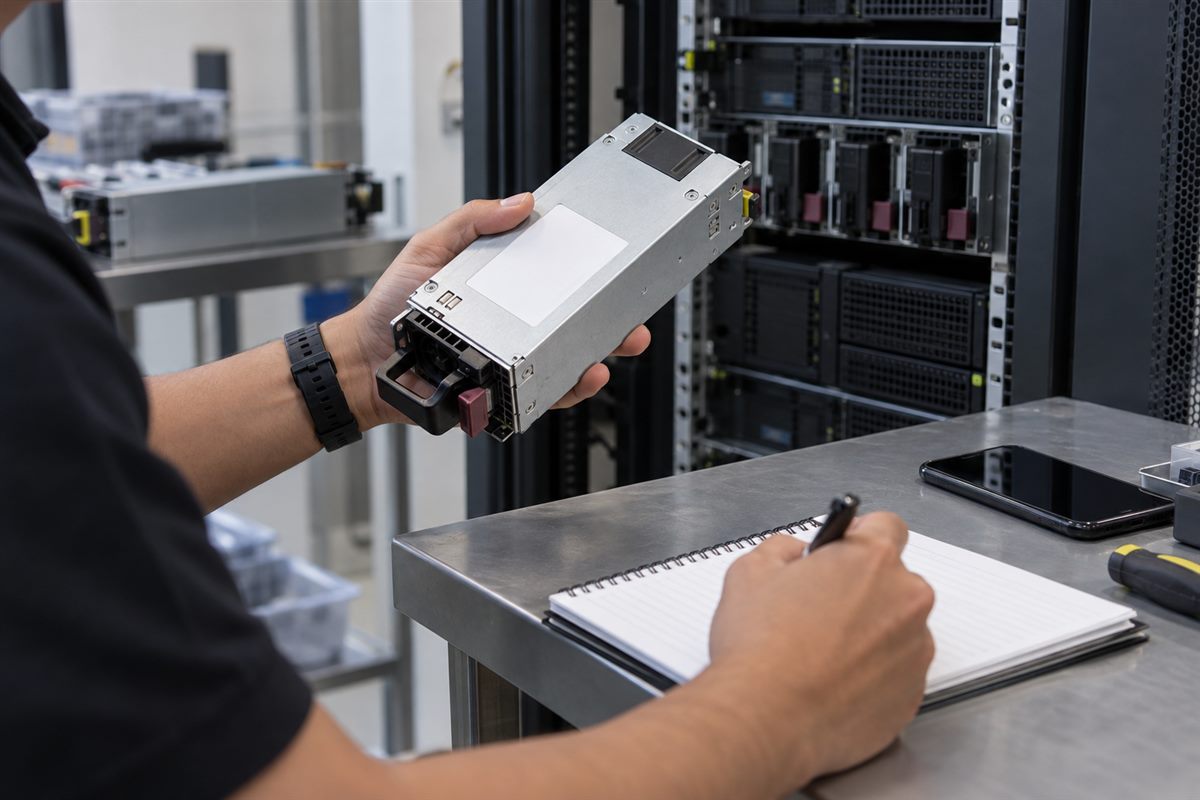
Your server power supply has failed, but the purchase record only says “server PSU”. That description is usually not enough to find the correct replacement.
The most useful information is normally printed on the power supply itself. Before asking for a quotation, identify the server and record the numbers on the old unit.
Begin with the server model
Record the server manufacturer and complete model. Include the generation or machine type when it is shown.
A broad description such as “Dell server” or “HP power supply” covers many different systems. Even servers that look similar may use different PSU designs.
Where to look on the PSU
On a removable server PSU, the label is commonly attached to the top, side or underside of the metal casing. You may need to remove the unit to see it, but this should only be done by someone who is authorised and familiar with the equipment.
Do not open the PSU casing. A power supply can contain dangerous electrical energy even after it has been disconnected.

Which number should you record?
A server PSU label may contain several numbers. Look for terms such as:
- Part number or P/N.
- Spare number or SP number.
- Model.
- Assembly number.
- Revision.
- Wattage.
Record the complete value, including letters, dashes and leading zeroes. A shortened number may refer to a different revision or assembly.
Why wattage is not enough
Two server power supplies can both be rated at 750 watts and still be different. Their physical size, connector, firmware communication, efficiency class or supported server generation may not match.
Use wattage as one check, not as the only way to choose a replacement.
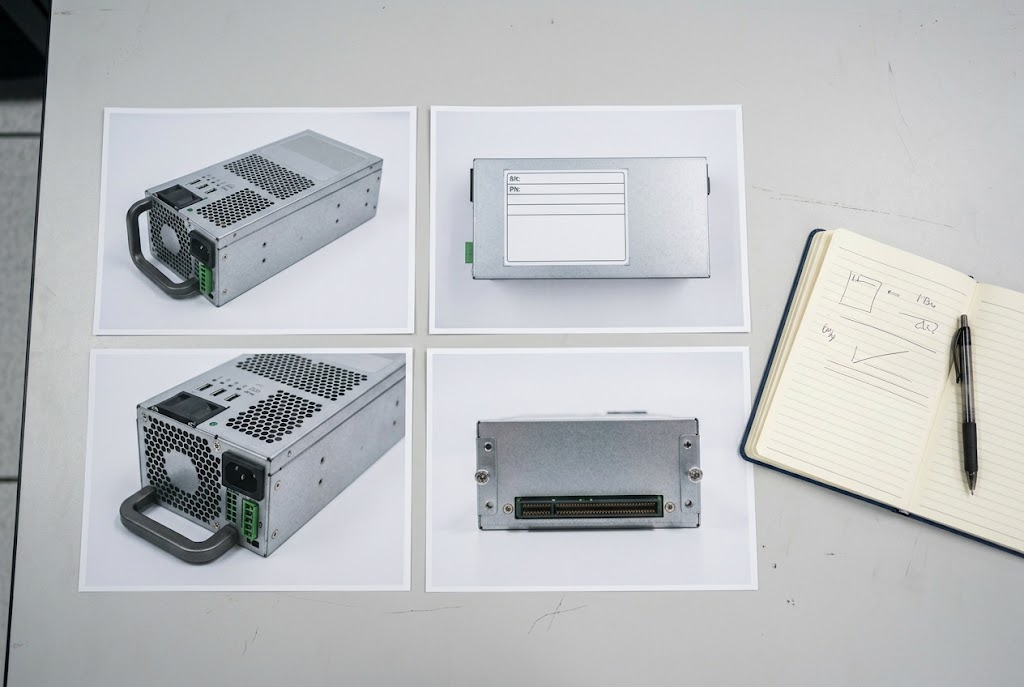
Take four useful photos
- The complete PSU.
- A close, readable picture of the label.
- The handle, fan and outer end.
- The connector side that enters the server.
Also photograph the server model label or management-screen details where appropriate. Hide confidential serial numbers and customer asset tags unless they are required for the support process.
Check how the server uses its PSUs
Some servers use two or more power supplies for redundancy. Record how many are installed and whether the new unit needs to operate beside an existing PSU.
Do not assume that two PSUs can be mixed simply because both fit. Ask the server administrator or technical owner to confirm the operating requirement.
What if the label cannot be read?
Check previous purchase records, maintenance reports and the server’s hardware-management interface. Some systems record PSU details electronically. Manufacturer support documentation may also help when the complete server model or service reference is available.
Dell, for example, documents how a PowerEdge PSU part number can be read from its label or recorded through iDRAC. The exact method depends on the server.
Information to send for a quotation
- Server manufacturer and full model.
- Existing PSU part and spare numbers.
- Wattage and revision.
- Number of PSUs installed.
- Clear label and connector photos.
- Quantity required.
- Malaysian delivery location.
Important: Do not replace or remove a live server PSU unless your technical procedure allows it. Ask the responsible IT person when there is any doubt.
Related Buying and Sourcing Resources
Browse server power supplies in our catalogue. See also our guides on server PSU compatibility and sourcing discontinued or hard-to-find parts. Once you have a clear label photo, see our guide on photographing an IT part for identification, then follow our quotation request checklist before contacting a supplier. For the full collection, visit NJ Bravo’s Buying Guides.
Send the full server model, existing PSU part or spare numbers, clear photographs, quantity and delivery location in Malaysia so available sourcing options can be assessed.
Related parts in our shop
Once you have the part number, these are common server PSUs we supply:
- Dell 495W hot-swap PSU GRTNK: PowerEdge R530 / R630 / R730 / T430 / T440
- Dell 750W hot-swap PSU F9F51: PowerEdge R620 / R720 / T320 / T420 / T620
- Dell 570W hot-swap PSU VPR1M: PowerEdge R610 / R710
- Dell 500W hot-swap PSU 60FPK: PowerEdge R410
- Dell 450W PSU H3DKF: PowerEdge T430 / R530
- Dell 350W PSU HMNXX: PowerEdge T330 / T340 / T350
- HP 460W common slot PSU 499249-001: ProLiant Gen8 / Gen9
Can’t see your part? Send us the part number and we will source it for you.
Related guides
 Dell PSU Part Numbers Explained (DPN, 0-Prefix, DPS/L/D Models)4 min read
 Server PSU Amber Light: What It Means & What to Do4 min read
 Server PSU Compatibility Guide: What Malaysian IT Teams Need to Know7 min read