
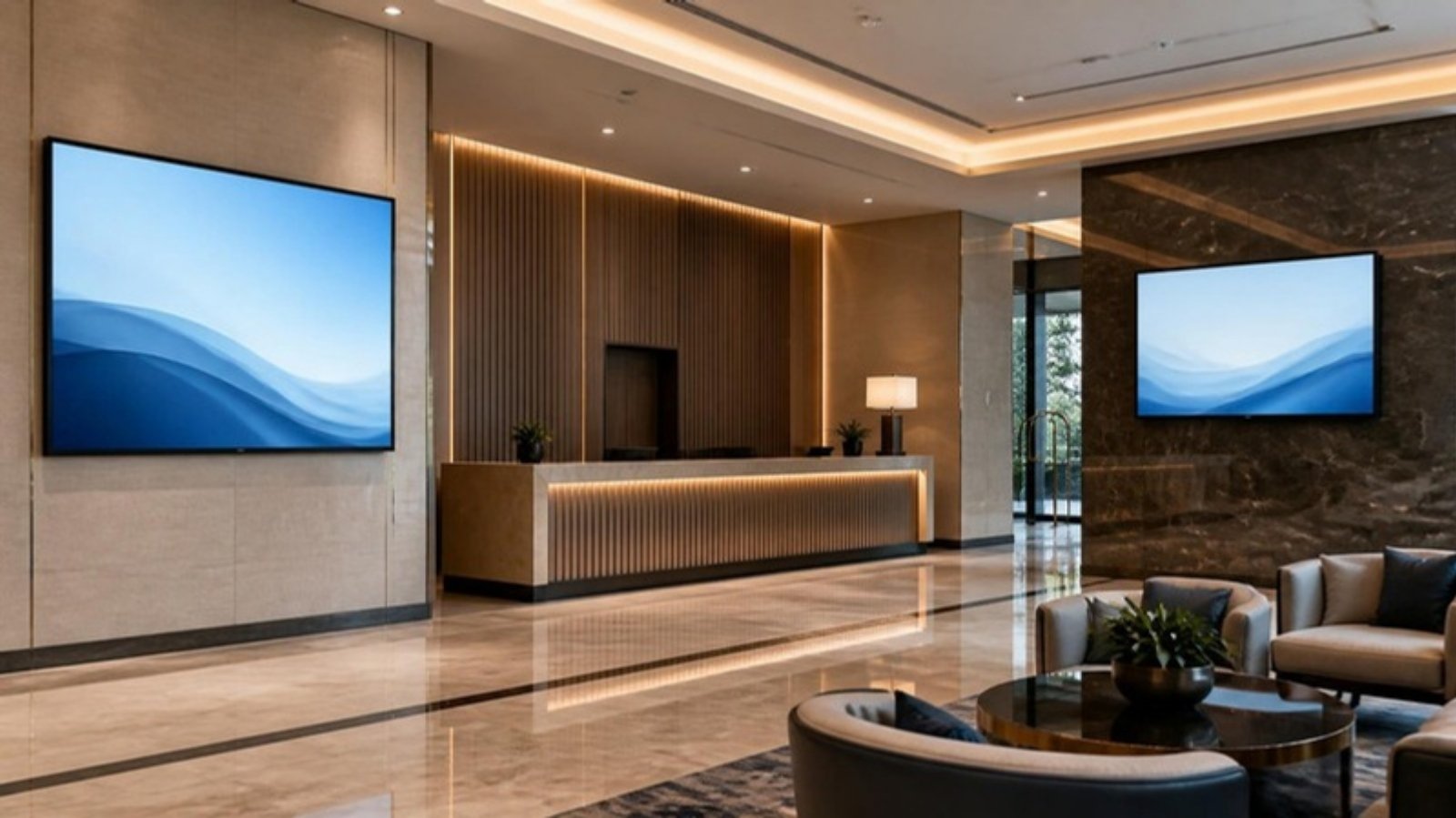
The LENKENG LKV373 HDMI extender is one of the most common ways to send an HDMI video signal over a single network cable in Malaysia. Factories use it to put production dashboards and CCTV views on screens across the shop floor. Companies use it for reception displays, meeting rooms and lobby signage. Hotels use it for lobby screens, function rooms, ballrooms and F&B menu boards.
The most common problem we see is not a broken unit. It is a version mismatch. A customer buys a replacement sender or receiver, plugs it in, and gets no picture, because the new unit is a different version from the old one. This guide shows you how to check your version in 30 seconds and what to buy.
The Golden Rule: Sender and Receiver Must Be the Same Version
Every LKV373 system has two parts:
- Sender (TX): connects to the video source, such as a PC, camera, media player or decoder.
- Receiver (RX): connects to each screen or LED display.
LENKENG has released the LKV373 in three versions: V2.0, V3.0 and V4.0. They look almost the same from the outside, but they cannot talk to each other:
| RX ↓ TX → | V2.0 TX | V3.0 TX | V4.0 TX |
|---|---|---|---|
| V2.0 RX | ✅ | ❌ | ❌ |
| V3.0 RX | ❌ | ✅ | ❌ |
| V4.0 RX | ❌ | ❌ | ✅ |
✅ = works ❌ = no picture (TX = sender, RX = receiver)
If your new unit shows no picture with your existing unit, check the versions first before assuming it is faulty.
Step 1: Find Your Version
The version is printed on the unit itself. You do not need any tools.
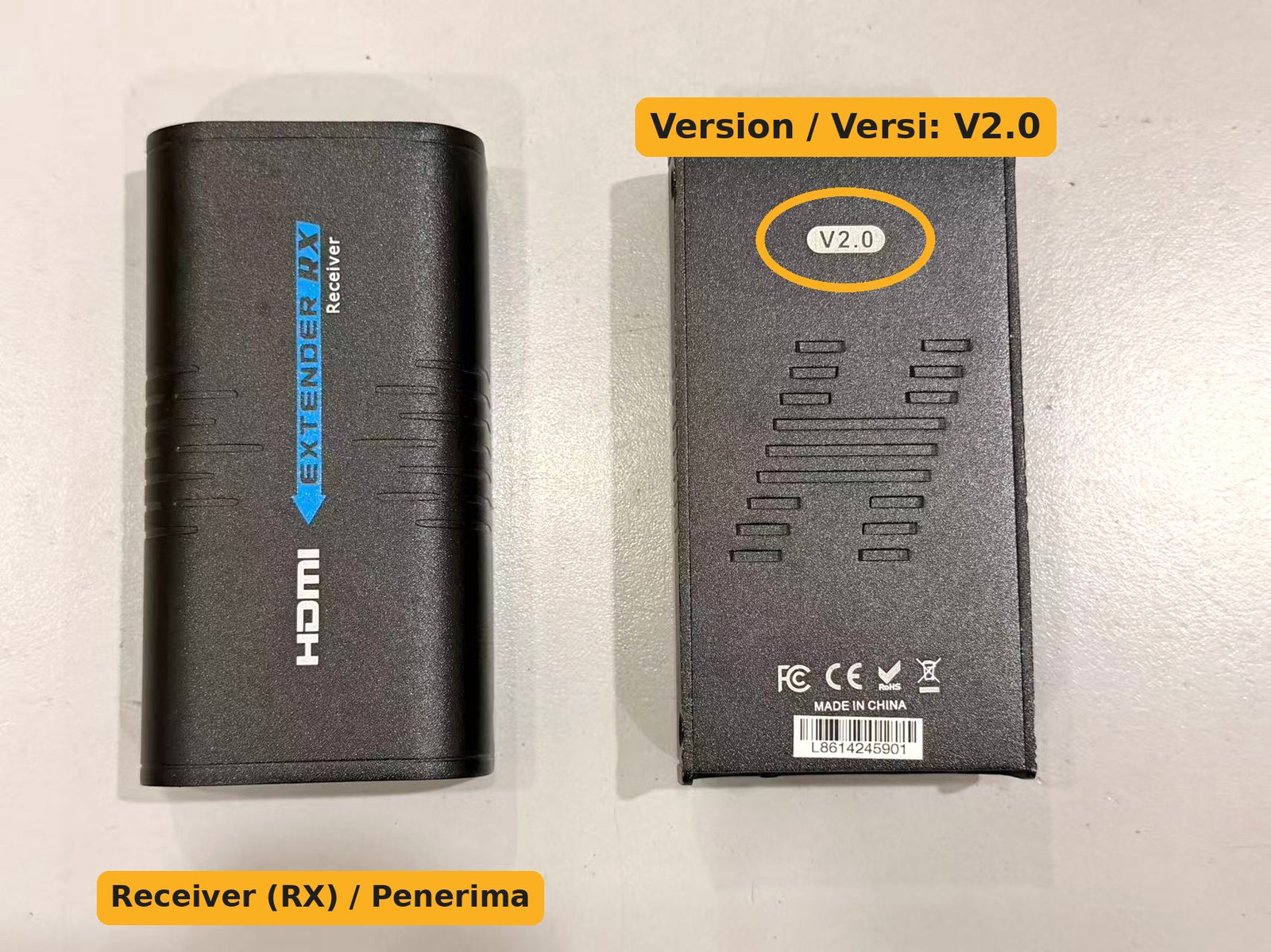
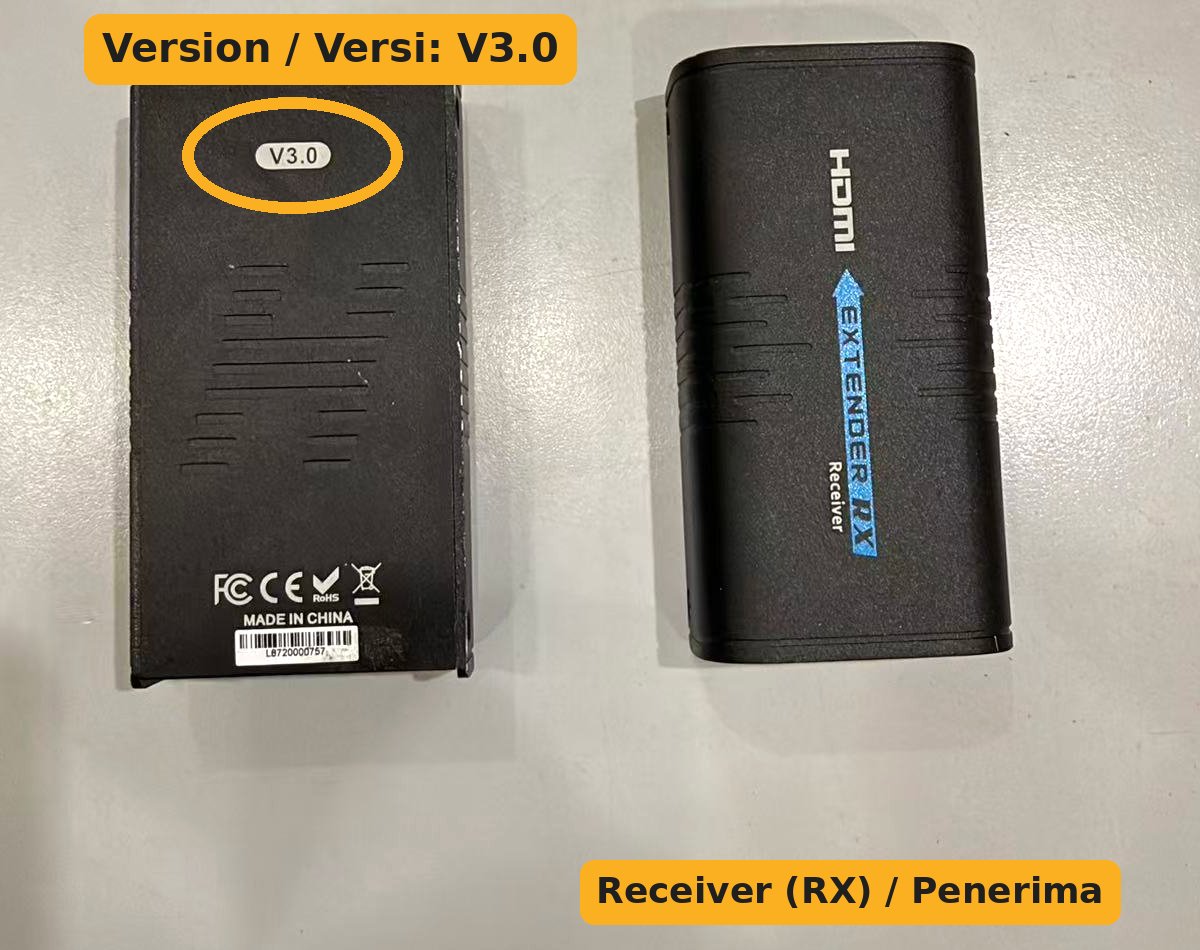
V2.0 and V3.0: look underneath
Turn the unit over. On older units there is a small oval badge on the bottom of the metal casing that says V2.0 or V3.0. V3.0 units are sometimes sold as “LKV373A”.
V4.0: look at the end panel
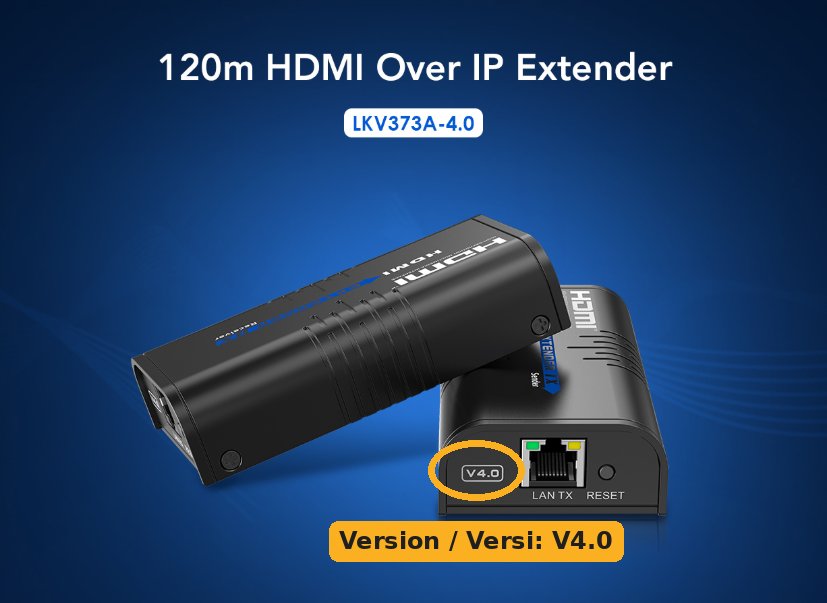
On V4.0 units, V4.0 is printed on the end panel next to the LAN port, and the box and listing usually say “LKV373A-4.0”.
Sender or receiver?
The top of the casing tells you which part you have: “EXTENDER TX – Sender” or “EXTENDER RX – Receiver”. The arrow points away from the sender and towards the receiver.
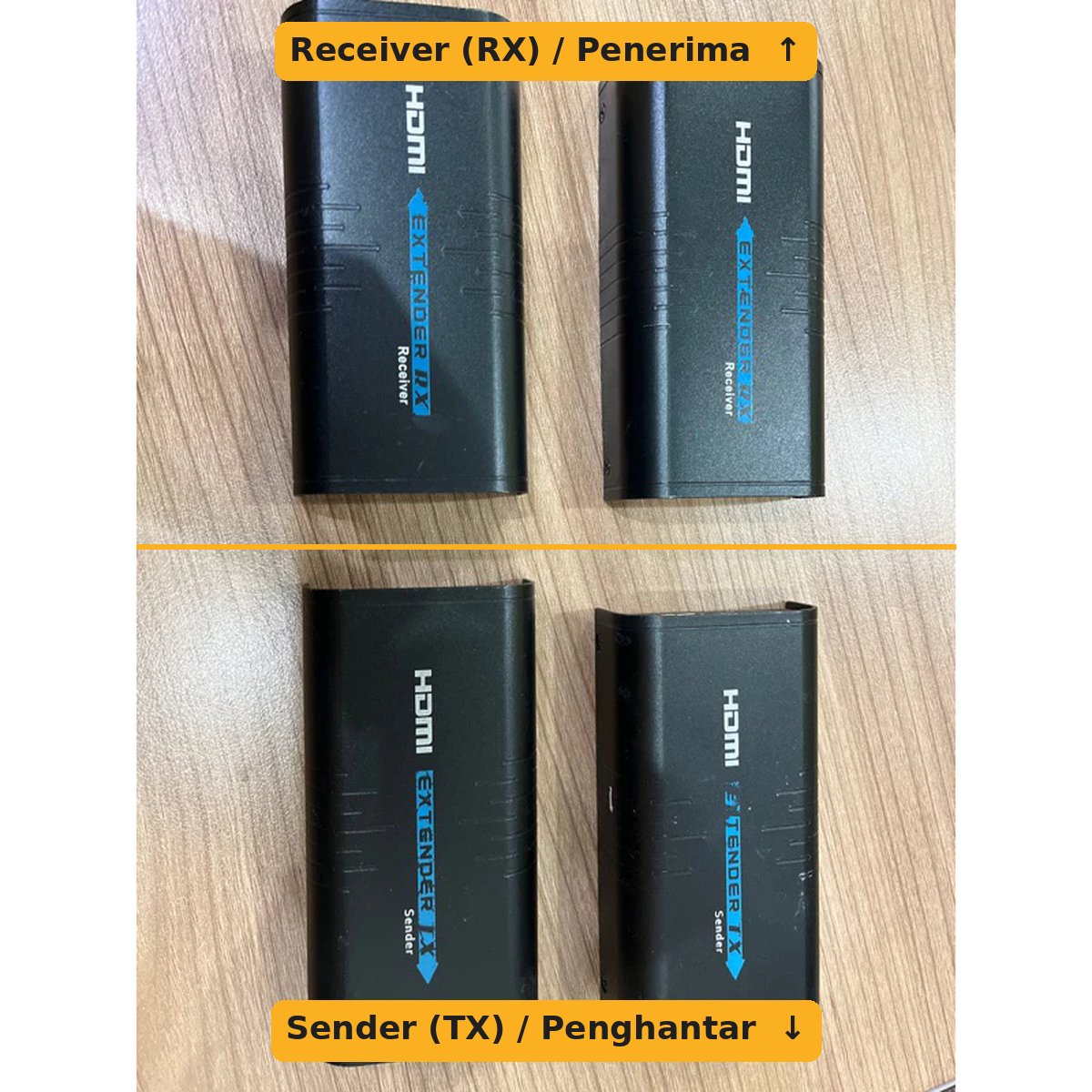
Tip: take one photo of the version label and one of the top label before you remove the unit from the wall or ceiling. It saves a second climb up the ladder.
Step 2: Choose What to Buy
| Your situation | What to buy |
|---|---|
| One unit is faulty, the other still works, and you know the version is V2.0 or V3.0 | A tested used LKV373 V2.0 / V3.0 unit of the same version and the same type (sender or receiver) |
| Your existing system is V4.0 | A new LKV373 V4.0 sender or receiver |
| You cannot find the version, the label is gone, or both units are old | Replace both with a new LKV373 V4.0 set (TX + RX). This is the most reliable long-term fix. |
| Adding another screen to an existing system | One extra receiver of the same version as your sender, plus a network switch |
Important: our new stock is V4.0. V2.0 and V3.0 are only available as used, tested units, so supply depends on stock. If you have several old receivers, upgrading the whole system to V4.0 at once avoids future mix-ups.
Typical Setups: Factory, Office and Hotel
The LKV373 is usually used to send one video source to one or more screens that are far away from it:
- Factory and warehouse: one PC in the office shows production output, KPI or CCTV on screens at each production line or loading bay.
- Office: a media player or PC in the server room feeds the reception screen, lobby signage and meeting-room TVs.
- Hotel: one source feeds lobby displays, function-room and ballroom screens, or menu boards in restaurants and cafes.
How to connect one source to several screens:
- Connect the video source (PC, media player, NVR or laptop) to the sender (TX) with an HDMI cable.
- Run a network cable from the sender to a network switch.
- From the switch, run one network cable to each receiver (RX), one receiver per screen.
- Connect each receiver to its screen with an HDMI cable.
- Distance: up to 120m per cable run on Cat6 at 1080p (about 100m on Cat5e).
- All receivers must be the same version as the sender. One wrong-version receiver will not show a picture.
- Do not use a PoE switch. Power over Ethernet can damage the units. Use a normal network switch, and power each unit with its own adaptor.
- Keep it off the main network: use a separate switch for the extenders rather than the office LAN or guest Wi-Fi, so the video stays smooth and does not slow down other users.
- Factory floors: route the network cable away from motor and high-voltage power cables, and use shielded (STP) cable in electrically noisy areas.
Quick Checks Before You Call It Faulty
- Versions match? Check the labels on the sender and every receiver.
- Power reset: unplug the power on both the sender and receiver, wait 10 seconds and plug back in. Static or power surges can freeze the units.
- Network cable: try a known-good cable, and check the LAN port lights are on at both ends.
- HDMI cable and screen input: make sure the screen is on the correct HDMI input.
- Bypass the switch: connect the sender directly to one receiver with a single cable to test.
If it still does not work after these checks, the unit may be faulty. Send us photos of both labels and we will help you confirm what to replace.
What to Send Us When You Order
- A photo of the version label (bottom of V2.0/V3.0, end panel of V4.0)
- A photo of the top label (Sender or Receiver)
- Which unit is faulty, and how many screens you run
WhatsApp the photos to +607-359 6955 and we will confirm the right unit before you pay.
Frequently Asked Questions
Can I use a V4.0 receiver with my old V2.0 or V3.0 sender?
No. V4.0 is not compatible with V2.0 or V3.0. Either buy the same version as your existing unit, or replace both sender and receiver with V4.0.
Are V2.0 and V3.0 compatible with each other?
No. A V2.0 sender will not work with a V3.0 receiver, and the other way round.
My unit has no version label. What now?
Send us a photo of the unit from all sides. If we cannot confirm the version, replacing both units with a V4.0 set is the safest choice.
How many screens can one sender feed?
One sender can feed many receivers through a network switch, as long as every receiver is the same version.
Do you sell used units with warranty?
Yes. Our used V2.0 and V3.0 units are tested before shipping and come with a 1-month warranty. They are supplied as the unit only, without box, adaptor or cables.
Get the Right LENKENG Extender
New LKV373 V4.0 (TX, RX or set) · Used LKV373 V2.0 / V3.0. Not sure which one? Request a Quote or WhatsApp +607-359 6955 with a photo of your unit. We deliver across Malaysia.
Related guides
 Choosing the Right SATA Power Cable for Your New Dell PC (QCT, QCS, ECT, ECS)5 min read
 Lindy USB Port Blockers: USB-A vs USB-C Buying Guide5 min read
 C13, C14, C19, C20 Power Cables Explained (Malaysia Guide)6 min read