Kalau permintaan sebut harga cuma tulis “tolong quote laptop charger”, pembekal pasti perlu bertanya lagi. Laptop model apa? Connector jenis mana? Berapa watt? Berapa unit?
Permintaan yang baik tidak semestinya panjang. Yang penting, maklumat asas cukup untuk pembekal memahami barang dan keperluan syarikat anda.
1. Beritahu peralatan apa yang digunakan
Mulakan dengan jenama dan model penuh peralatan. Contohnya laptop, server, PLC, HMI, industrial computer atau mesin lain.
Kalau tidak pasti nombor mana ialah model, ambil gambar label peralatan yang jelas.
2. Catat nombor pada komponen lama
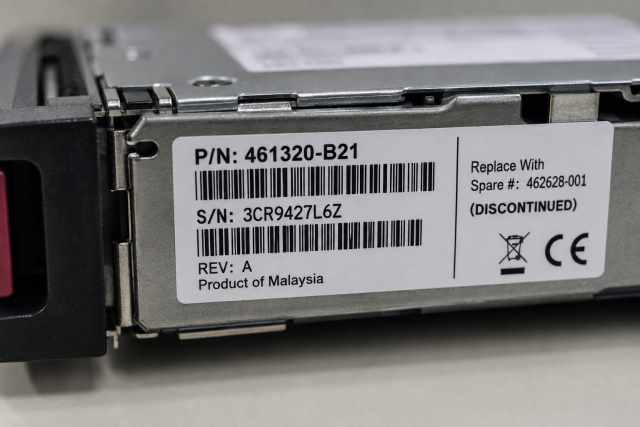
Salin part number penuh daripada komponen lama atau yang sudah rosak. Masukkan spare number, revision dan model code jika ada.
Jangan terus buang komponen lama. Ia mungkin menjadi rujukan paling berguna semasa mencari pengganti.
3. Sertakan gambar yang jelas
Ambil gambar penuh barang, semua label dan setiap connector. Untuk kabel, tunjukkan kedua-dua hujung. Untuk komponen dalaman, tunjukkan tempat ia dipasang jika boleh dilakukan dengan selamat.
Tutup serial number sulit, maklumat pelanggan dan asset tag dalaman jika tidak diperlukan.
4. Terangkan kegunaan barang
Pembekal mungkin perlu tahu sama ada kabel digunakan untuk programming, komunikasi biasa atau menyambungkan dua peralatan tertentu. Untuk adaptor, model laptop dan jenis charging connector diperlukan. Untuk server PSU, penggunaan redundancy mungkin perlu diketahui.
Ayat mudah sudah memadai. Contohnya: “Kabel ini digunakan untuk sambungkan laptop maintenance kepada PLC semasa programming.”
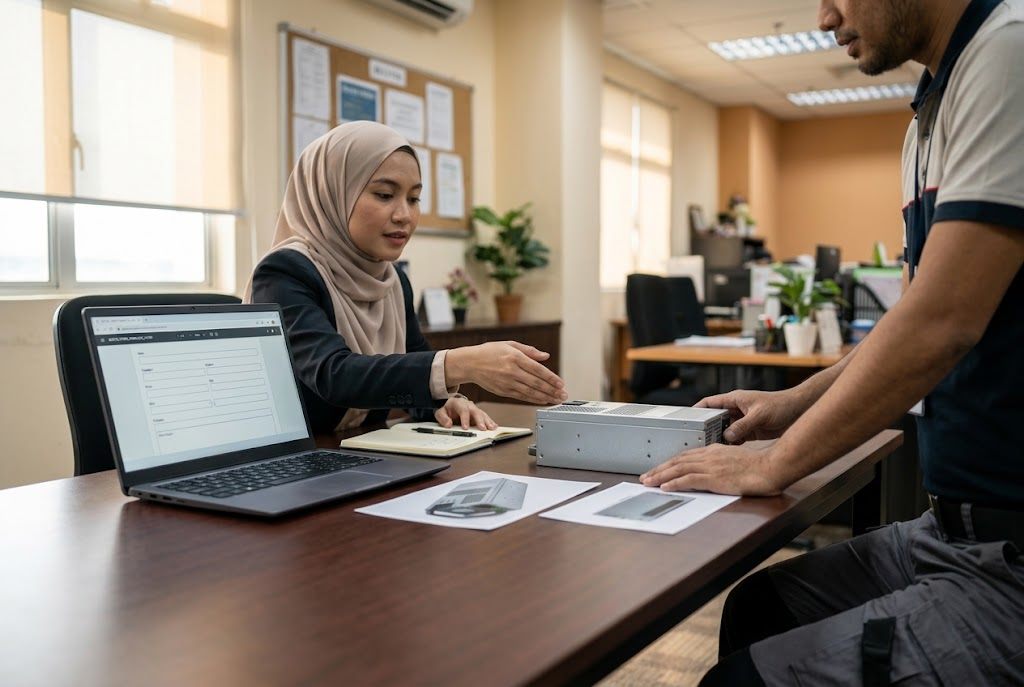
Illustrative image.
5. Nyatakan kuantiti
Beritahu sama ada anda perlukan satu unit, beberapa unit untuk cawangan atau unit tambahan sebagai spare. Jangan biarkan pembekal meneka.
6. Beritahu sama ada pilihan lain boleh dinilai
Ada syarikat yang mesti menggunakan part number yang sama. Ada juga yang membenarkan pasukan teknikal menilai pilihan serasi.
Nyatakan perkara ini dengan jelas. Pembekal tidak patut menganggap barang lain boleh diterima tanpa persetujuan.
7. Nyatakan keperluan condition
Jika polisi purchasing memerlukan barang baharu, original packaging atau condition tertentu, tuliskan dalam permintaan. Untuk peralatan lama atau discontinued, pilihan yang ada mungkin berbeza dan perlu disahkan sebelum membeli.
8. Masukkan lokasi penghantaran
Berikan bandar, negeri dan postcode di Malaysia. Alamat peribadi penuh biasanya belum diperlukan semasa pertanyaan awal.
9. Terangkan bila barang diperlukan
Beritahu tarikh diperlukan dan sama ada peralatan sudah tidak boleh digunakan. Ini membantu pembekal memahami tahap keperluan.
Tarikh yang diminta bukan jaminan stok atau penghantaran. Tunggu pengesahan bertulis daripada pembekal.
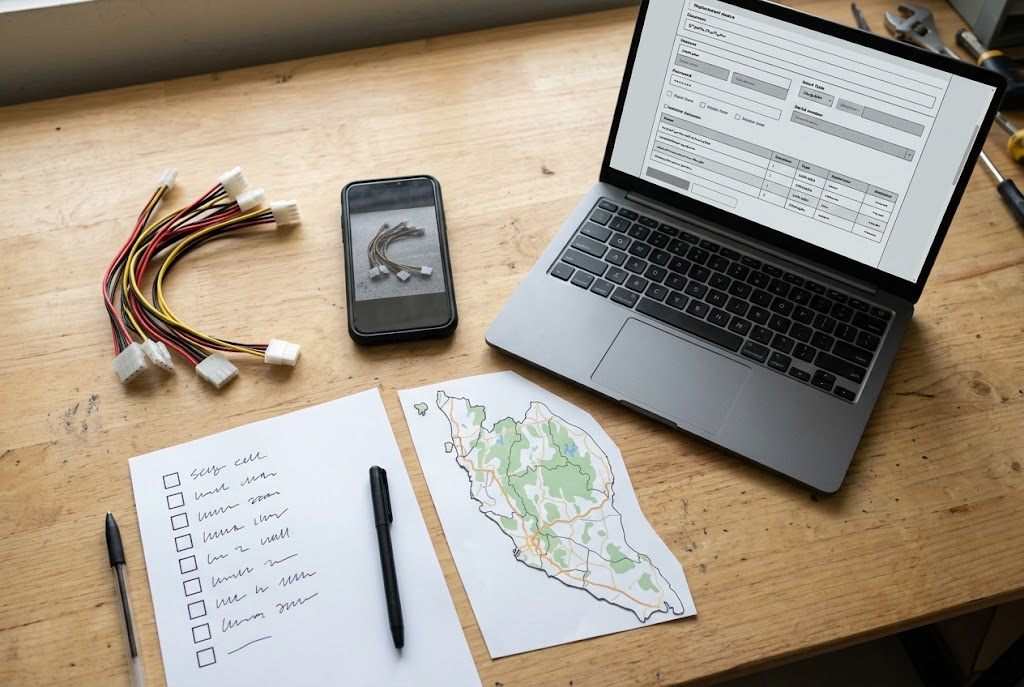
Illustrative image.
Template permintaan sebut harga
Nama syarikat:
Jenama dan model peralatan:
Barang diperlukan:
Part/spare/revision number:
Kuantiti:
Kegunaan atau masalah peralatan:
Mesti nombor sama, atau pilihan lain boleh dinilai:
Bandar dan negeri penghantaran:
Tarikh diperlukan:
Gambar dilampirkan:
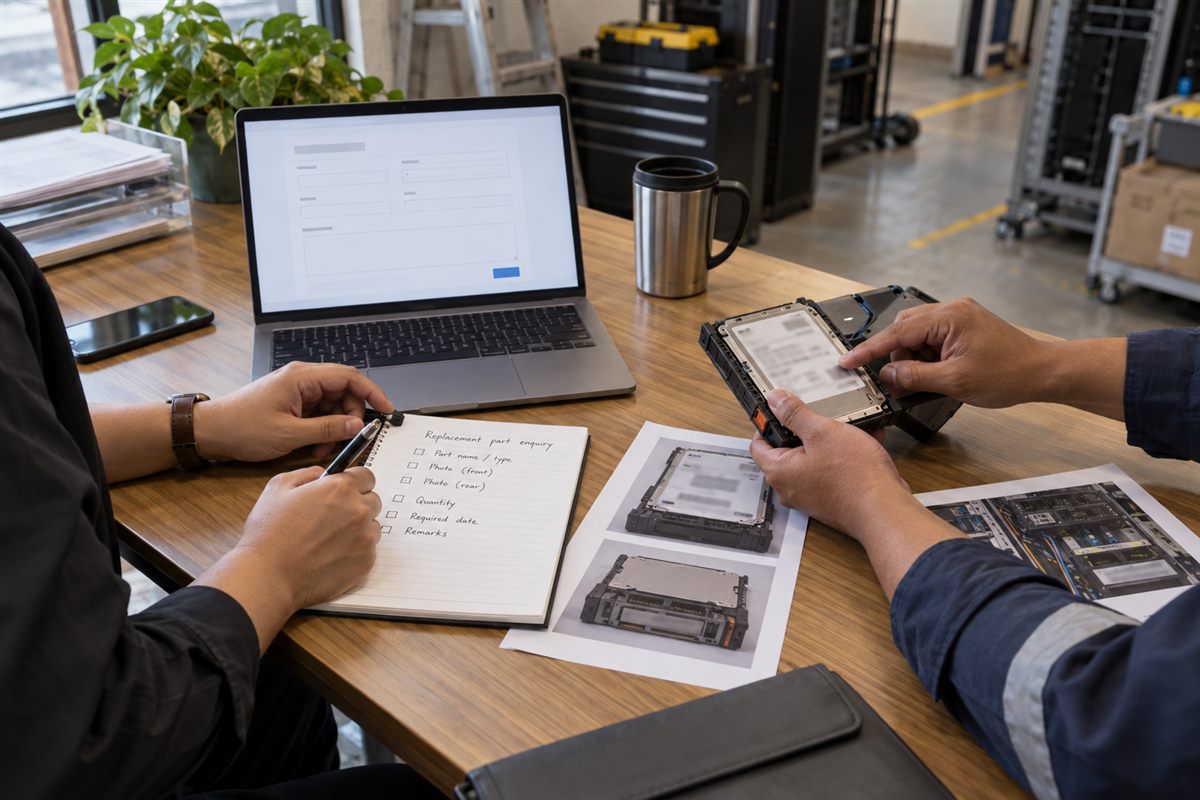
Illustrative image.
Sebelum tekan butang hantar
Buka semula setiap gambar dan pastikan label boleh dibaca. Semak kuantiti dan lokasi penghantaran. Minta pengguna teknikal menyemak permintaan jika keserasian sangat penting.
Maklumat yang lengkap menjimatkan masa kedua-dua pihak dan memudahkan sebut harga dinilai.
Minta sebut harga alat ganti Hantar model peralatan, part number, gambar, kuantiti dan lokasi penghantaran di Malaysia supaya NJ Bravo boleh menilai pilihan sourcing yang ada.
A quotation request that says only “please quote laptop charger” will usually lead to more questions. Which laptop? What connector? What wattage? How many units?
A clear request does not need to be long. It simply needs enough information for the supplier to understand the part and the business requirement.
Illustrative image.
1. Name the equipment
Start with the manufacturer and full model of the equipment that uses the part. This may be a laptop, server, PLC, HMI, industrial computer or another machine.
If you are unsure which number is the model, send a clear photo of the equipment label.
2. Record the old part number
Copy the complete part number from the failed or existing component. Include spare numbers, revision numbers and model codes when shown.
Keep the old part until identification is complete. It is often the best reference available.
3. Add clear photographs
Send a photo of the whole part, every label and all connectors. For a cable, show both ends. For an internal component, show where it is installed when this can be done safely.
Cover confidential serial numbers, customer information and internal asset tags when they are not required.
4. Explain what the part is used for
A supplier may need to know whether a cable is for programming, normal communication or connecting two specific devices. An adaptor request may require the laptop model and charging connector. A server PSU request may require information about redundant power.
One or two plain sentences are enough. For example: “This cable connects our maintenance laptop to a PLC for programming.”
Illustrative image.
5. State the quantity
Say whether you need one replacement, several units for different branches or extra units to keep as spares. Do not leave the supplier to guess.
6. Say whether alternatives can be considered
Some companies require the exact original part number. Others may allow their technical team to review a compatible alternative.
Make this clear in the request. A supplier should not assume that a different part is acceptable.
7. Include condition requirements
If your purchasing policy requires new, original packaging or another defined condition, state it. For discontinued equipment, available sourcing options may vary, so condition must be confirmed before purchase.
8. Give the delivery location
Include the town, state and postcode in Malaysia. The full personal address is normally unnecessary at the first enquiry stage.
9. Explain the required date honestly
Say when the part is needed and whether the equipment is already down. This helps the supplier understand the urgency.
A required date is a buyer’s requirement, not confirmation that stock or delivery is available. Wait for the supplier’s written response.
Illustrative image.
A short quotation template
Company:
Equipment manufacturer and model:
Required part:
Part/spare/revision number:
Quantity:
Purpose or equipment fault:
Exact replacement required, or alternative may be reviewed:
Delivery town and state:
Required date:
Photos attached:
Illustrative image.
Before pressing send
Open every photograph and check that the labels are readable. Confirm the quantity and delivery location. Ask the technical user to review the request when compatibility is important.
A complete request saves time for both sides and makes the quotation easier to assess.
Request a replacement-part quotation Send the equipment model, part number, photographs, quantity and Malaysian delivery location so NJ Bravo can assess available sourcing options.
Komponen sudah rosak, tetapi rekod pembelian lama tidak jumpa. Label pula berhabuk dan gambar yang diterima oleh bahagian purchasing terlalu gelap untuk dibaca.
Keadaan macam ini memang biasa berlaku. Berita baiknya, beberapa keping gambar yang jelas boleh banyak membantu.
Gambar sahaja belum boleh mengesahkan keserasian. Namun, gambar yang betul memudahkan pembekal memahami barang apa yang sedang dicari.
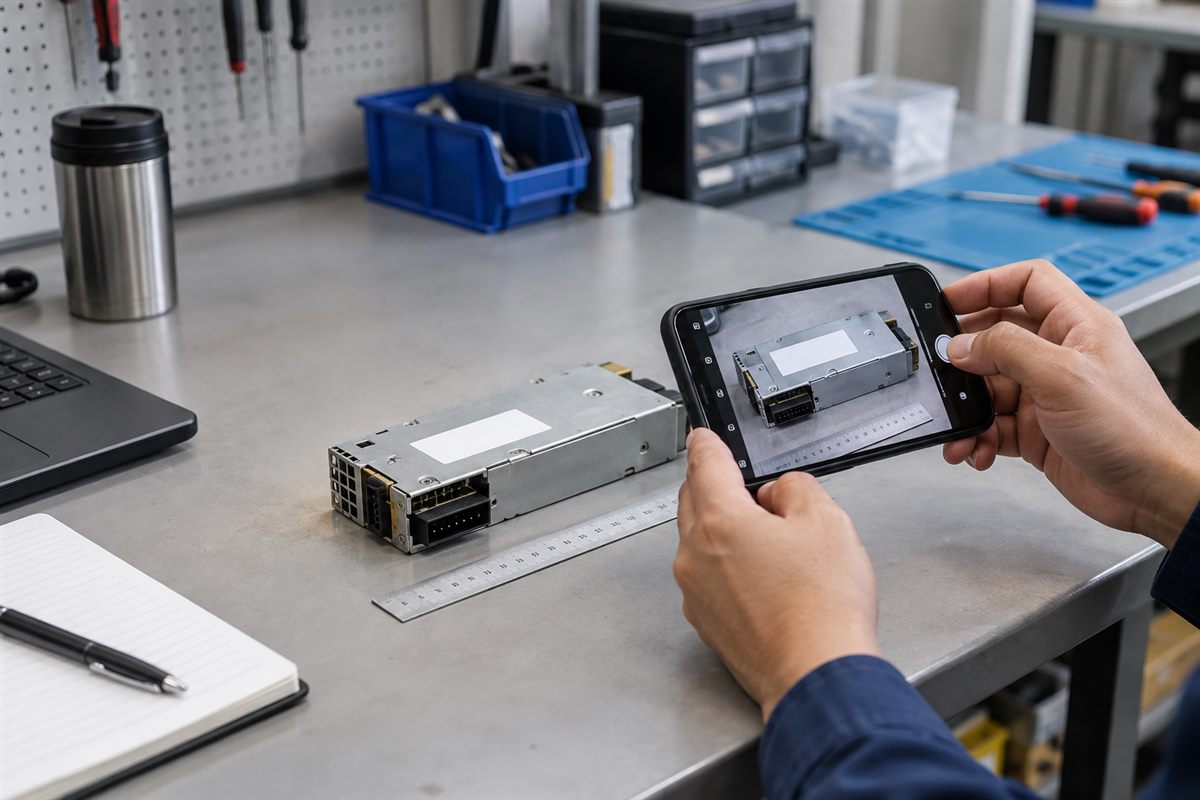
Illustrative image.
Ambil satu gambar penuh dahulu
Letakkan komponen di atas meja yang bersih dan berwarna biasa. Ambil gambar yang menunjukkan bentuk keseluruhan barang. Jangan potong terlalu rapat sehingga bahagian tepi tidak nampak.
Kalau komponen tidak boleh dikeluarkan dengan selamat, ambil gambar semasa ia masih dipasang. Pastikan kedudukannya di dalam server, laptop, control panel atau mesin dapat dilihat.
Ambil gambar dekat untuk setiap label
Label biasanya mengandungi maklumat yang paling berguna seperti model number, part number, spare number, voltage, wattage atau revision.
Pastikan telefon selari dengan permukaan label. Tekan pada bahagian label di skrin supaya kamera fokus. Selepas ambil gambar, cuba zoom. Kalau anda sendiri susah membaca nombor tersebut, pembekal juga akan menghadapi masalah yang sama.
Jika cahaya lampu memantul pada label, ubah sedikit sudut telefon atau kedudukan komponen.
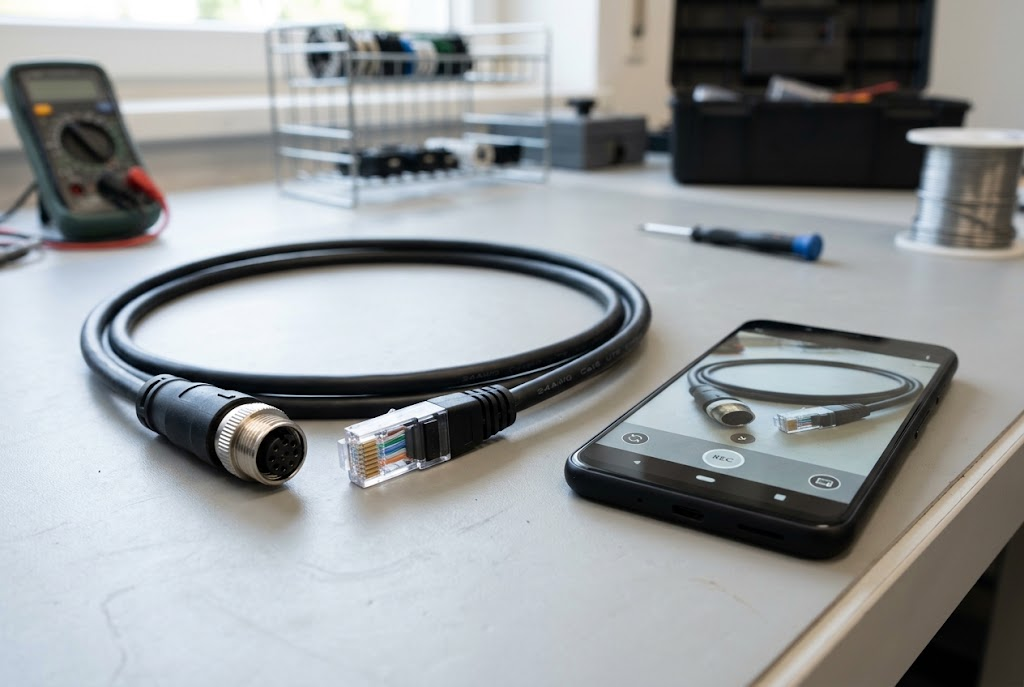
Tunjukkan semua connector
Dua komponen boleh nampak hampir sama tetapi mempunyai connector atau susunan pin yang berbeza. Ambil gambar terus dari hadapan untuk setiap plug, socket dan hujung kabel.
Untuk kabel, ambil gambar kedua-dua hujung secara berasingan. Untuk power supply, tunjukkan bahagian pemegang atau kipas serta bahagian yang masuk ke dalam peralatan.
Illustrative image.
Jangan lupa model peralatan
Gambar komponen yang sudah dikeluarkan mungkin tidak cukup. Ambil juga gambar label model pada laptop, server, PLC, HMI atau mesin yang menggunakan komponen tersebut.
Lindungi maklumat sulit. Tutup nama pelanggan, asset tag dalaman dan serial number jika maklumat itu tidak diperlukan untuk tujuan pengenalpastian.
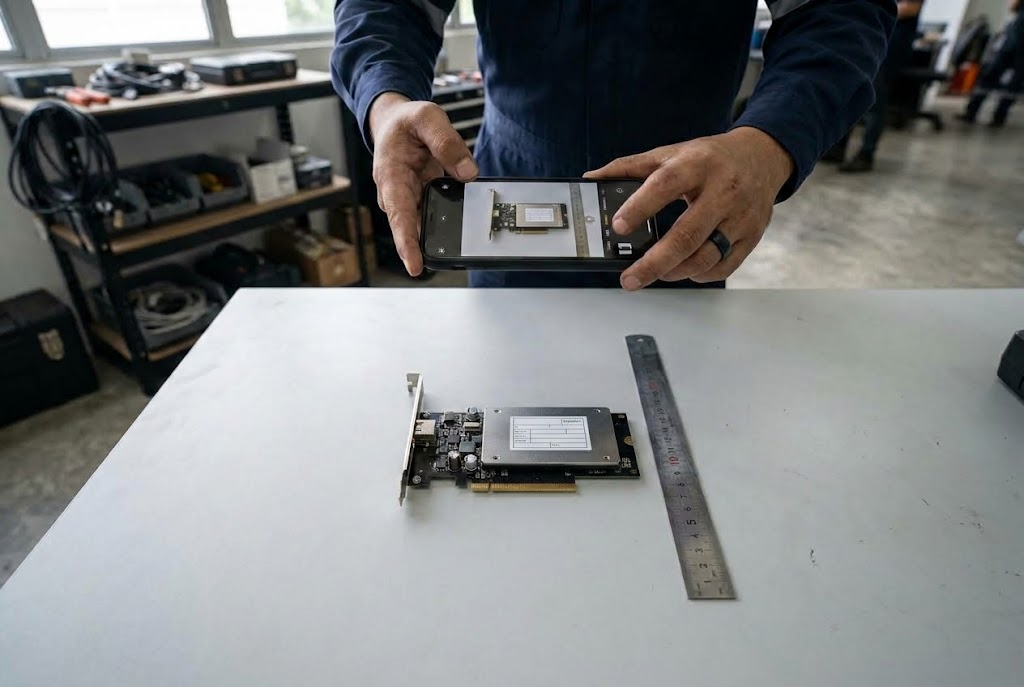
Letak pembaris jika saiz penting
Jika ukuran mungkin mempengaruhi pilihan pengganti, letakkan pembaris di sebelah komponen. Ambil gambar dari atas supaya bacaan tidak nampak lebih panjang atau pendek daripada ukuran sebenar.
Kesilapan gambar yang selalu berlaku
Hanya satu gambar mesin dari jauh.
Gambar label terlalu dekat sehingga sebahagian nombor terpotong.
Gambar kabur kerana tangan bergerak.
Pantulan cahaya menutup tulisan.
Gambar dikecilkan terlalu banyak sebelum dihantar.
Hanya satu hujung kabel ditunjukkan.
Maklumat yang perlu dihantar bersama gambar
Beritahu jenama, model peralatan, kuantiti dan sebab komponen perlu diganti. Nyatakan sama ada nombor part yang sama diperlukan atau pasukan teknikal anda sanggup menilai pilihan lain.
Masukkan juga lokasi penghantaran di Malaysia dan tarikh barang diperlukan. Tarikh tersebut membantu perancangan, tetapi bukan jaminan stok atau masa penghantaran.
Senarai semak ringkas
Gambar penuh komponen.
Semua label.
Semua connector.
Kedua-dua hujung kabel.
Lokasi komponen dipasang.
Label model peralatan.
Pembaris atau ukuran, jika berkaitan.
Penting: Gambar membantu proses pengenalpastian. Model, spesifikasi dan kegunaan sebenar masih perlu disemak sebelum membuat pesanan.
Minta bantuan mengenal pasti komponen Hantar gambar yang jelas bersama model peralatan, kuantiti dan lokasi penghantaran di Malaysia. NJ Bravo boleh menilai pilihan sourcing berdasarkan maklumat yang diberikan.
You have a failed part on the table, but nobody can find the old purchase record. The label is dusty, the connector is hidden, and the only photo sent to purchasing is a dark picture taken from across the room.
That makes sourcing much harder than it needs to be.
A few clear photographs can help a supplier understand what you are looking for. They do not prove compatibility by themselves, but they give the supplier a much better starting point.
Illustrative image.
Start with one photo of the whole part
Place the part on a clean, plain surface. Take one photo that shows its overall shape. Leave a little space around it instead of cropping tightly.
If the part cannot be removed safely, photograph it where it is installed. Step back far enough to show where it sits inside the server, laptop, control panel or machine.
Take a close photo of every label
The label is often more useful than the front of the part. It may contain a model number, part number, spare number, voltage, wattage or revision.
Hold the phone parallel to the label. Tap the label on the screen so the camera focuses on it. Check the photo before sending it—if you cannot read the number when you zoom in, the supplier probably cannot read it either.
Watch for glare from overhead lights. Moving the part or phone slightly is often enough to make the label readable.
Show the connectors from both sides
Two parts can look almost the same from the outside but use different connectors or internal wiring. Take a straight-on photo of every connector, socket and cable end.
For cables, photograph both ends separately. For a power supply, show the handle or fan side and the side that connects to the equipment.
Illustrative image.
Include the equipment model
A loose part may not tell the full story. Photograph the model label of the laptop, server, PLC, HMI or other equipment in which it is used.
Do not send passwords or confidential asset information. Cover customer names, internal asset tags and serial numbers when they are not needed for identification.
Show size only when it matters
If dimensions may affect the replacement, place a ruler beside the part and take a photo from directly above. Do not hold the ruler at an angle because this can make the measurement misleading.
Avoid these common photo problems
One distant photo of the complete machine.
A close-up that cuts off part of the label.
Blur caused by moving the phone too quickly.
Strong glare hiding the printed numbers.
Photos sent through an app that reduces the image too much.
Only one cable end when both ends are different.
What to send with the photos
Add a short message with the manufacturer, equipment model, quantity and reason for replacement. Say whether you need the exact same part or whether your technical team is willing to review an alternative.
Also include the Malaysian delivery location and the date the part is required. The required date is useful for planning, but it is not a guarantee of availability or delivery.
Quick photo checklist
Whole part.
Every label.
Every connector.
Both cable ends.
Installed location.
Equipment model label.
Ruler or dimensions, if relevant.
Important: A photograph helps with identification. The exact model, specifications and intended use still need to be checked before ordering.
Request help identifying a part Send clear photos together with the equipment model, quantity and delivery location in Malaysia. NJ Bravo can then assess available sourcing options against the information provided.
This guide helps buyers collect the right information to source rare or discontinued IT and industrial parts. It explains how to reduce compatibility risk when normal catalogue purchasing is not enough.
Identify the part•Verify compatibility•Keep operations running
Sourcing discontinued or hard-to-find IT parts in Malaysia requires a more disciplined process than ordinary catalogue purchasing. When an adaptor, server PSU, motherboard, industrial cable, KVM accessory or legacy display cable is no longer readily available, procurement teams must balance speed, compatibility, condition and operational risk.
For Malaysian businesses, a discontinued part can affect far more than one device. It may delay a production line repair, leave a server without redundancy, extend downtime for a branch office or interrupt access to a specialist machine. The objective is not merely to locate “something similar”; it is to source a part that can be assessed against the installed equipment and intended use.
Important: Accurate part identification is the most useful starting point for discontinued hardware sourcing.
Identify Hard-to-Find IT Parts Accurately
The first step is accurate identification. Many sourcing delays occur because the initial request includes only a broad description, such as “old Dell PSU”, “PLC cable” or “laptop charger”. These descriptions are useful as a starting point, but they rarely provide enough detail to confirm a replacement.
Create a requirement record containing:
Manufacturer name
Full product model
Part number, spare number or revision number
Serial or service reference where relevant
Clear photographs of labels, connectors and the installed location
Quantity required
Failure symptoms or reason for replacement
Required delivery location in Malaysia
Whether a compatible alternative is acceptable
A complete request reduces back-and-forth and helps suppliers assess options more efficiently.
Illustrative image.
Distinguish Between Exact Replacement and Functional Alternative
Not every discontinued part requires an exact identical replacement. However, the decision should be made by the appropriate technical owner, not assumed during procurement.
An exact replacement is generally preferred where the item is:
A server power supply or motherboard
A proprietary laptop adaptor
A PLC programming or communication cable
A component inside validated equipment
Part of a redundant or regulated business system
Required to preserve an existing warranty, configuration or support arrangement
A functional alternative may be considered for lower-risk accessories, such as selected display cables, adapters or certain non-proprietary peripherals. Even then, the source device, destination device and intended operating conditions should be confirmed.
Procurement should clearly state whether substitutions are permitted. This prevents suppliers from spending time locating alternatives that the technical team cannot approve.
Preserve the Failed or Existing Part Where Possible
When a component fails, the instinct is often to dispose of it immediately. For hard-to-find parts, the failed item can be the best identification reference available.
Keep the part temporarily if practical, especially when it contains:
A readable label
Part, assembly or revision numbers
Connector information
Manufacturer branding
Physical dimensions or mounting references
Firmware or configuration details
For example, a server PSU may have a specific pull-tab, connector arrangement and part number that distinguish it from a similar-looking unit. A PLC cable may have identifying markings on the cable jacket or connector. A motherboard may require a board revision number in addition to the system model.
Photographs should include both wide views and close-up label images. Ensure text is legible and avoid glare.
Illustrative image.
Assess Equipment Criticality Before Sourcing
The urgency and sourcing strategy should reflect the role of the equipment. A replacement for a spare office monitor cable is different from a part needed to restore a server, production machine or warehouse system.
Classify requests according to business impact:
Critical: outage affects production, data access, safety processes or customer operations
High: outage affects a department, branch or key business function
Routine: replacement can be scheduled without material disruption
This classification helps procurement decide whether to seek a single replacement, hold contingency spares or evaluate a broader refresh plan. It also gives suppliers helpful context when prioritising a source-to-order request.
Verify Compatibility Before Commitment
A discontinued item may be listed under multiple references, superseded by another part or available only through specialised channels. Compatibility verification is therefore essential.
Ask the following:
Is the proposed item an exact reference match?
If not, what equipment model has it been assessed against?
Does the connector arrangement match?
Are there known differences in revision, wattage, port type or physical fit?
Does the item need supporting accessories, such as cables, trays or adapters?
Will the technical team inspect or test it before deployment?
For business-critical hardware, establish an internal acceptance process. This may include visual inspection, controlled installation, power-on testing and functional verification before the system is returned to service.
Do not treat a product photo alone as confirmation. Images can be generic, reused across listings or insufficient to show important revision details.
Consider Condition and Lifecycle Requirements
Hard-to-find parts may be available in different conditions, depending on the market and item type. Procurement should ask for clear condition information and align it with internal policy.
The appropriate choice may depend on:
Importance of the equipment
Required service life
Availability of backup units
Planned system replacement date
Need for manufacturer packaging or documentation
Internal asset-management requirements
For older infrastructure, sourcing a replacement can be the right short-term decision while a longer-term migration is planned. The procurement record should state whether the purchase is an emergency repair, a spare-holding strategy or part of a lifecycle extension plan.
Use a Source-To-Order Process Effectively
Source-to-order procurement is useful when the required part is rare, discontinued or not held as routine stock. It works best when the buyer provides detailed identification information and allows time for compatibility review.
A practical process is:
Collect full hardware details and photos.
Define whether an exact match is mandatory.
State quantity, urgency and delivery destination.
Ask for compatibility clarification where alternatives are proposed.
Obtain technical approval before final purchase where risk is high.
Record the successful replacement reference for future sourcing.
This final record is valuable. Once a business confirms a replacement for a legacy system, documenting the reference can save substantial time during the next failure.
Build a Legacy Parts Register
Organisations with older IT or industrial equipment should maintain a simple register of high-risk components. Include device model, installed location, key replacement part numbers, known compatible cables or adaptors, last replacement date and support status.
This is particularly useful for:
Legacy servers and storage systems
Industrial PCs
PLC and HMI equipment
KVM and console infrastructure
Laptop fleets with older charging designs
UPS and power-related accessories
A register does not remove the need for compatibility checks, but it gives procurement and technical teams a far stronger starting point when time matters.
Frequently Asked Questions
What details are most important for sourcing a discontinued IT part?
The most useful details are the full model number, original part number, revision information, clear label photographs, connector photos and the equipment in which the part is installed.
Can a newer part replace a discontinued one?
Sometimes, but it should not be assumed. Confirm physical fit, electrical requirements, port type, system generation and any manufacturer-specific compatibility considerations.
Should we keep spares for discontinued equipment?
For business-critical or difficult-to-replace systems, holding suitable spares may reduce downtime. The right quantity depends on equipment criticality, age and replacement strategy.
Request help sourcing a hard-to-find part Send the manufacturer, full model/part number, equipment model, label and connector photographs, condition requirement, quantity and delivery location in Malaysia. NJ Bravo can then assess available sourcing options against the information provided.