Posted on 9 Comments

Sourcing Discontinued or Hard-to-Find IT Parts in Malaysia: A Buyer’s Guide

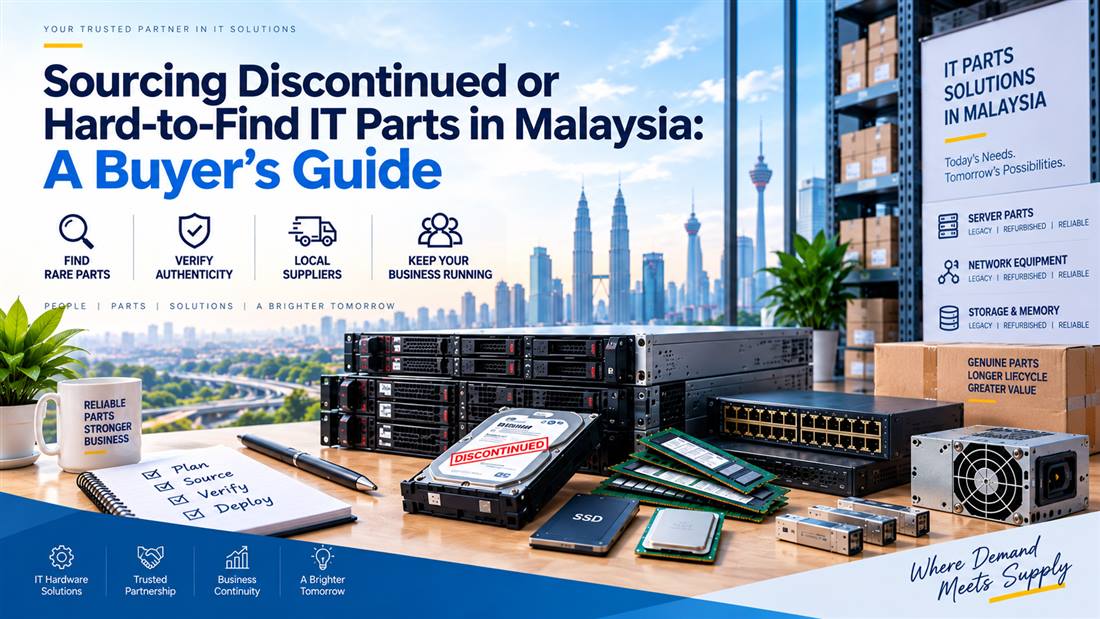
Sourcing discontinued and hard-to-find IT parts in Malaysia, including server, storage, network and power components

Procurement brief

This guide helps buyers collect the right information to source rare or discontinued IT and industrial parts. It explains how to reduce compatibility risk when normal catalogue purchasing is not enough.

Identify the partVerify compatibilityKeep operations running

Sourcing discontinued or hard-to-find IT parts in Malaysia requires a more disciplined process than ordinary catalogue purchasing. When an adaptor, server PSU, motherboard, industrial cable, KVM accessory or legacy display cable is no longer readily available, procurement teams must balance speed, compatibility, condition and operational risk.

For Malaysian businesses, a discontinued part can affect far more than one device. It may delay a production line repair, leave a server without redundancy, extend downtime for a branch office or interrupt access to a specialist machine. The objective is not merely to locate “something similar”; it is to source a part that can be assessed against the installed equipment and intended use.

Important: Accurate part identification is the most useful starting point for discontinued hardware sourcing.

Identify Hard-to-Find IT Parts Accurately

The first step is accurate identification. Many sourcing delays occur because the initial request includes only a broad description, such as “old Dell PSU”, “PLC cable” or “laptop charger”. These descriptions are useful as a starting point, but they rarely provide enough detail to confirm a replacement.

Create a requirement record containing:

  • Manufacturer name
  • Full product model
  • Part number, spare number or revision number
  • Serial or service reference where relevant
  • Clear photographs of labels, connectors and the installed location
  • Quantity required
  • Failure symptoms or reason for replacement
  • Required delivery location in Malaysia
  • Whether a compatible alternative is acceptable

A complete request reduces back-and-forth and helps suppliers assess options more efficiently.
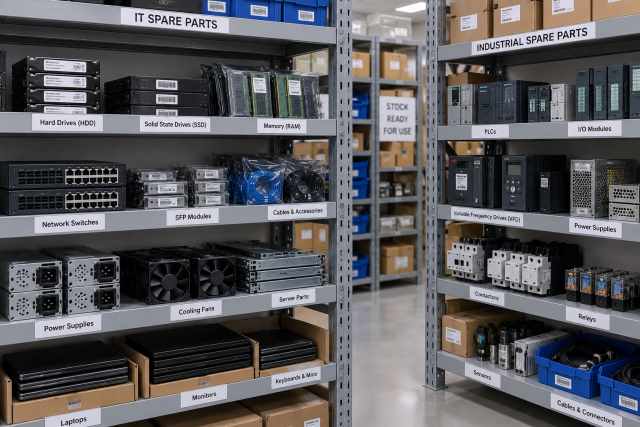
Organised shelving of IT and industrial spare parts for sourcing discontinued equipment
Illustrative image.

Distinguish Between Exact Replacement and Functional Alternative

Not every discontinued part requires an exact identical replacement. However, the decision should be made by the appropriate technical owner, not assumed during procurement.

An exact replacement is generally preferred where the item is:

  • A server power supply or motherboard
  • A proprietary laptop adaptor
  • A PLC programming or communication cable
  • A component inside validated equipment
  • Part of a redundant or regulated business system
  • Required to preserve an existing warranty, configuration or support arrangement

A functional alternative may be considered for lower-risk accessories, such as selected display cables, adapters or certain non-proprietary peripherals. Even then, the source device, destination device and intended operating conditions should be confirmed.

Procurement should clearly state whether substitutions are permitted. This prevents suppliers from spending time locating alternatives that the technical team cannot approve.

Preserve the Failed or Existing Part Where Possible

When a component fails, the instinct is often to dispose of it immediately. For hard-to-find parts, the failed item can be the best identification reference available.

Keep the part temporarily if practical, especially when it contains:

  • A readable label
  • Part, assembly or revision numbers
  • Connector information
  • Manufacturer branding
  • Physical dimensions or mounting references
  • Firmware or configuration details

For example, a server PSU may have a specific pull-tab, connector arrangement and part number that distinguish it from a similar-looking unit. A PLC cable may have identifying markings on the cable jacket or connector. A motherboard may require a board revision number in addition to the system model.

Photographs should include both wide views and close-up label images. Ensure text is legible and avoid glare.
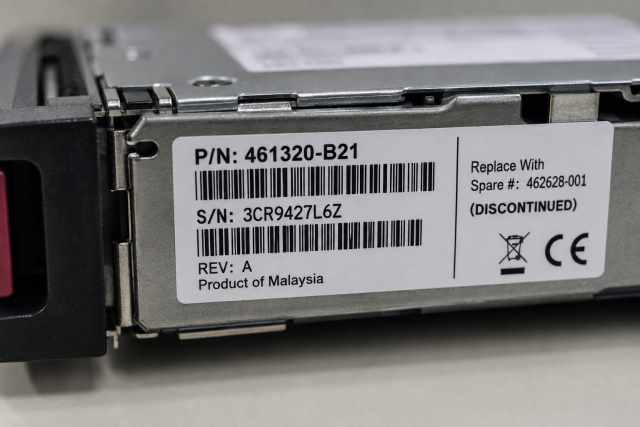
Part number label for discontinued IT hardware identification
Illustrative image.

Assess Equipment Criticality Before Sourcing

The urgency and sourcing strategy should reflect the role of the equipment. A replacement for a spare office monitor cable is different from a part needed to restore a server, production machine or warehouse system.

Classify requests according to business impact:

  • Critical: outage affects production, data access, safety processes or customer operations
  • High: outage affects a department, branch or key business function
  • Routine: replacement can be scheduled without material disruption

This classification helps procurement decide whether to seek a single replacement, hold contingency spares or evaluate a broader refresh plan. It also gives suppliers helpful context when prioritising a source-to-order request.

Verify Compatibility Before Commitment

A discontinued item may be listed under multiple references, superseded by another part or available only through specialised channels. Compatibility verification is therefore essential.

Ask the following:

  • Is the proposed item an exact reference match?
  • If not, what equipment model has it been assessed against?
  • Does the connector arrangement match?
  • Are there known differences in revision, wattage, port type or physical fit?
  • Does the item need supporting accessories, such as cables, trays or adapters?
  • Will the technical team inspect or test it before deployment?

For business-critical hardware, establish an internal acceptance process. This may include visual inspection, controlled installation, power-on testing and functional verification before the system is returned to service.

Do not treat a product photo alone as confirmation. Images can be generic, reused across listings or insufficient to show important revision details.

Consider Condition and Lifecycle Requirements

Hard-to-find parts may be available in different conditions, depending on the market and item type. Procurement should ask for clear condition information and align it with internal policy.

The appropriate choice may depend on:

  • Importance of the equipment
  • Required service life
  • Availability of backup units
  • Planned system replacement date
  • Need for manufacturer packaging or documentation
  • Internal asset-management requirements

For older infrastructure, sourcing a replacement can be the right short-term decision while a longer-term migration is planned. The procurement record should state whether the purchase is an emergency repair, a spare-holding strategy or part of a lifecycle extension plan.

Use a Source-To-Order Process Effectively

Source-to-order procurement is useful when the required part is rare, discontinued or not held as routine stock. It works best when the buyer provides detailed identification information and allows time for compatibility review.

A practical process is:

  1. Collect full hardware details and photos.
  2. Define whether an exact match is mandatory.
  3. State quantity, urgency and delivery destination.
  4. Ask for compatibility clarification where alternatives are proposed.
  5. Obtain technical approval before final purchase where risk is high.
  6. Record the successful replacement reference for future sourcing.

This final record is valuable. Once a business confirms a replacement for a legacy system, documenting the reference can save substantial time during the next failure.

Build a Legacy Parts Register

Organisations with older IT or industrial equipment should maintain a simple register of high-risk components. Include device model, installed location, key replacement part numbers, known compatible cables or adaptors, last replacement date and support status.

This is particularly useful for:

  • Legacy servers and storage systems
  • Industrial PCs
  • PLC and HMI equipment
  • KVM and console infrastructure
  • Laptop fleets with older charging designs
  • UPS and power-related accessories

A register does not remove the need for compatibility checks, but it gives procurement and technical teams a far stronger starting point when time matters.

Frequently Asked Questions

What details are most important for sourcing a discontinued IT part?

The most useful details are the full model number, original part number, revision information, clear label photographs, connector photos and the equipment in which the part is installed.

Can a newer part replace a discontinued one?

Sometimes, but it should not be assumed. Confirm physical fit, electrical requirements, port type, system generation and any manufacturer-specific compatibility considerations.

Should we keep spares for discontinued equipment?

For business-critical or difficult-to-replace systems, holding suitable spares may reduce downtime. The right quantity depends on equipment criticality, age and replacement strategy.

Related Buying and Sourcing Resources

Browse NJ Bravo product listings or view IT and industrial sourcing services. See also our guides on server PSU compatibility, PLC cable types and replacement laptop power adaptors. For the full collection, visit NJ Bravo’s Buying Guides.

Request help sourcing a hard-to-find part
Send the manufacturer, full model/part number, equipment model, label and connector photographs, condition requirement, quantity and delivery location in Malaysia. NJ Bravo can then assess available sourcing options against the information provided.

Request a Quote

Posted on 7 Comments

Server PSU Compatibility Guide: What Malaysian IT Teams Need to Know

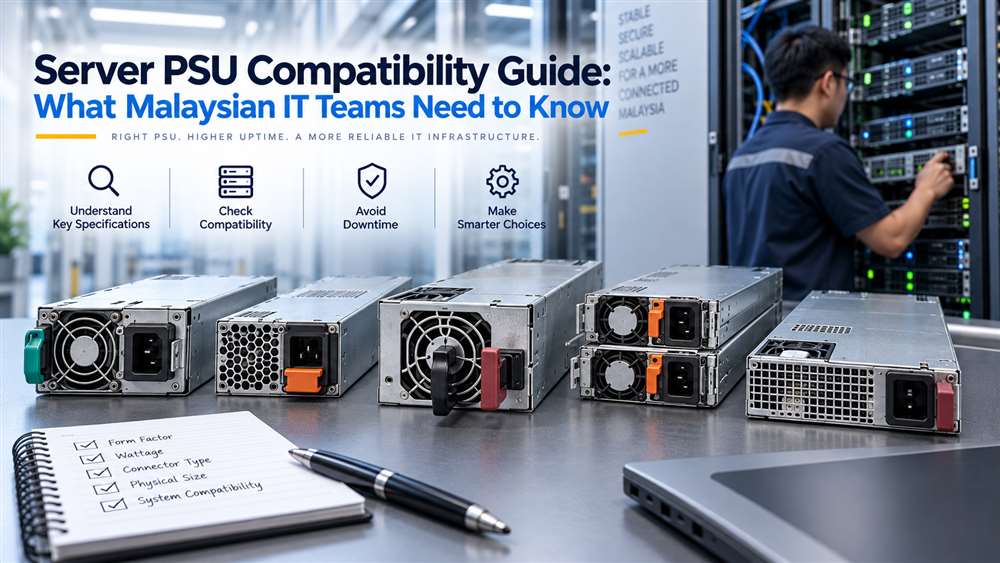
Server PSU compatibility guide showing enterprise power supplies and a data centre technician
Quick Summary
This guide helps buyers identify the server details needed to source a compatible replacement PSU. It is useful when a server power supply fails or a business needs a verified spare.

A server power supply unit is not a generic interchangeable component. This guide is designed for IT managers, system administrators and procurement teams responsible for maintaining business infrastructure. Whether the requirement is a planned replacement, a spare for critical hardware or support for an older server, compatibility should be checked before an order is raised.

A PSU mismatch can prevent a server from starting, trigger system alerts, affect redundant power operation or create an avoidable outage. In Malaysia, where replacement lead times can influence operational continuity, accurate identification is especially important for branch offices, data rooms, manufacturing systems and enterprise IT environments.

Important: Start with the exact server model and existing PSU reference; wattage alone is not enough.

Start With the Exact Server Model

The server’s exact make, model and existing PSU reference should form the basis of every purchase request. “Dell server PSU” or “HP power supply” is usually not enough information for a compatibility assessment.

Collect the following details:

  • Server manufacturer and complete model
  • Chassis type and generation
  • Existing PSU part number or spare part number
  • PSU wattage and input/output label details
  • Whether the server uses redundant power supplies
  • Quantity of PSUs currently installed
  • Photographs of the PSU label and connector side, if available
  • Urgency and intended deployment location

If the existing PSU has failed, the label may still be readable after removal. If it is not, the server’s service information, maintenance records or system management interface may provide useful references.

Enterprise server rack in a data centre environment
Illustrative image.

Understand Form Factor and Mechanical Fit

A server PSU must fit the physical chassis correctly. Rack servers, tower servers, blade systems and storage appliances may use distinctly different PSU designs.

Key mechanical checks include:

  • PSU dimensions and handle position
  • Location of locking mechanisms
  • Airflow direction
  • Connector placement
  • Hot-swap or fixed-install design
  • Chassis bay arrangement

Two power supplies with similar wattage are not necessarily interchangeable. A unit may be electrically capable in theory but still fail to fit the server bay or connect to the internal power distribution board.

For hot-swappable systems, it is also important to confirm whether the replacement is intended for the same server generation. Manufacturers may change physical and electrical designs between server generations, even when product names appear similar.

Verify Electrical Requirements

PSU wattage is a useful reference but should not be treated as the only requirement. The power supply must support the server’s configuration, including processors, memory, storage drives, RAID controllers, network cards, accelerators and other installed components.

A lower-capacity replacement may not provide enough headroom for the configured hardware. This can result in power warnings, failed startup attempts or restricted operation. Conversely, selecting a higher-capacity unit without checking compatibility may still be unsuitable due to chassis, firmware or connector differences.

Procurement teams should also verify the input power environment. Malaysian facilities commonly operate on mains power appropriate for enterprise equipment, but the PSU label and local electrical installation should still be reviewed. For server rooms with UPS systems, ensure that the combined server load is considered during planning.

Hot-swap server power supply beside a server rack
Illustrative image.

Redundant PSU Systems Require Extra Attention

Many business servers are configured with redundant PSUs. In a redundant setup, more than one PSU shares the load so that the server can continue operating if one supply fails, subject to the server design and power configuration.

When replacing one unit, check:

  • Whether the remaining installed PSU has the same reference
  • Whether both units are expected to match in capacity and type
  • Whether the server supports mixed PSU configurations
  • Whether the replacement will be used as an active unit or cold spare
  • Whether the server has reported any power redundancy alerts

Mixing different PSU models without verification can lead to loss of redundancy, warning messages or inconsistent system behaviour. The practical approach is to match the existing PSU reference wherever possible.

For critical infrastructure, it is prudent to replace a failed unit promptly rather than continue operating indefinitely without redundancy.

Firmware, Management Alerts and Vendor-Specific Designs

Modern servers may monitor power supply health through system management tools. A physically installed PSU may still generate alerts if the system does not recognise it as compatible.

Common signs of an issue include:

  • PSU status shown as degraded or unavailable
  • Power redundancy warning
  • Fan speed changes
  • Hardware inventory alerts
  • Server refusing to power on after installation

These issues are not always caused by a defective PSU. They can result from an incorrect part, an unsupported generation or an incompatible revision. Give the supplier as much identification information as possible so that the proposed replacement is assessed against the actual server configuration.

Planning Spares for Business Continuity

For organisations operating multiple similar servers, standardised spare planning can reduce downtime. Keep a record of installed server models, PSU part references, redundancy status and physical locations.

Consider holding a spare PSU when the server supports an important business system, such as:

  • File and backup services
  • Production databases
  • Virtualisation hosts
  • Network management platforms
  • Factory or warehouse applications
  • CCTV or access-control recording systems

The appropriate spare quantity depends on the criticality of the system, equipment age and service strategy. There is no universal answer, but a documented plan is preferable to sourcing only after a failure occurs.

Frequently Asked Questions

Can I replace a server PSU using only the wattage rating?

No. Wattage alone does not confirm compatibility. Check the server model, PSU part number, physical form factor, connector arrangement and redundancy requirements.

Should both redundant server PSUs be identical?

In most cases, matching installed units is the safer approach. Verify the server manufacturer’s compatibility guidance before mixing PSU models or capacities.

What should I provide for a server PSU quotation?

Provide the server make and model, existing PSU part number, PSU label photo, redundancy setup and required quantity. This helps avoid incorrect replacement selection.

Related Buying and Sourcing Resources

Browse server power supplies in our catalogue, or see our guides on sourcing discontinued or hard-to-find IT and industrial parts and choosing a replacement laptop power adaptor. For the full collection, visit NJ Bravo’s Buying Guides.

Request a server PSU quotation
Send the server brand/model, PSU part or spare number, revision, wattage, connector details or photo, quantity and delivery location in Malaysia. NJ Bravo can then assess available sourcing options against the information provided.

Request a Quote

Posted on Leave a comment

How to Choose the Right Replacement Laptop Power Adaptor (Dell, HP, Lenovo)

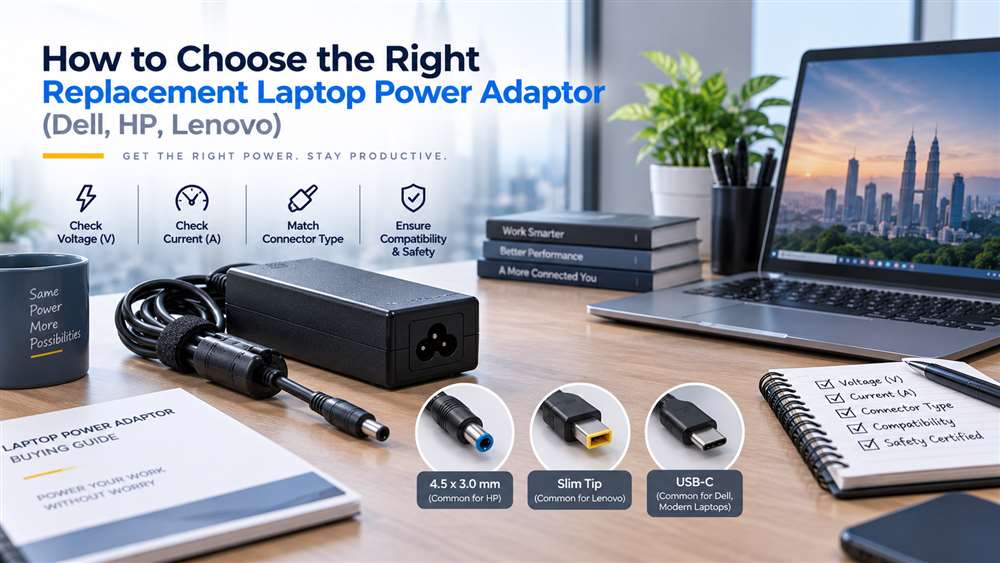
Replacement laptop power adaptor guide for Dell, HP and Lenovo business laptops
Quick Summary
Use this guide to check a replacement laptop adaptor against the laptop model, power requirement and connector before ordering. It helps non-technical buyers avoid charging and compatibility problems.

Choosing the right replacement laptop power adaptor for Dell, HP or Lenovo equipment is a procurement decision that affects uptime, battery performance and device safety. For Malaysian businesses managing employee laptops, field-service units or shared workstations, the priority is not simply finding an adaptor that fits physically. The replacement must match the laptop’s electrical requirements, connector type and, where applicable, brand-specific identification system.

An incorrect adaptor may fail to charge the battery properly, display warning messages, reduce performance or create unnecessary risk to the laptop and connected equipment. This guide outlines the practical checks procurement teams should complete before ordering replacement laptop power adaptors.

Important: Match the output voltage before considering connector shape or wattage.

Choose a Compatible Replacement Laptop Power Adaptor

The most reliable starting point is the original adaptor label or the laptop manufacturer’s documented power requirement. Record the following details before requesting a quotation:

  • Laptop brand and full model number
  • Original adaptor part number, if available
  • Output voltage
  • Output current or wattage
  • Connector type and size
  • Whether the laptop uses USB-C charging
  • Quantity required and intended use, such as desktop replacement, travel spare or service stock

Do not rely only on the laptop’s brand. Dell, HP and Lenovo each have multiple product ranges, and even laptops from the same manufacturer may use different connector types, wattages and charging methods.

Laptop power adaptor and connector tips for business use in Malaysia
Illustrative image.

Match the Output Voltage First

Voltage is the most important electrical factor. The adaptor’s output voltage should match the laptop’s stated input requirement. A close-looking connector does not make an adaptor suitable if the voltage is incorrect.

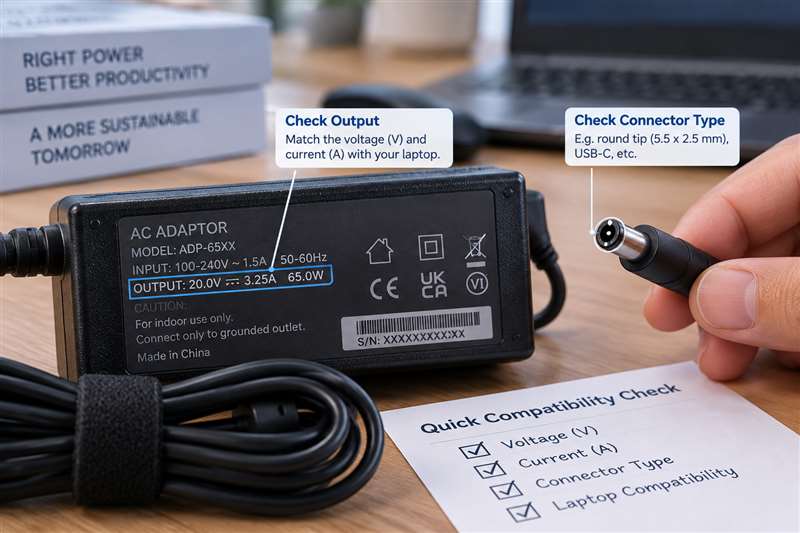
Many laptop adaptors use similar voltage ranges, but procurement teams should verify the label instead of assuming interchangeability. Voltage information is usually printed beside “Output” on the adaptor label and may also appear on the laptop’s underside or manufacturer documentation.

Where the original adaptor is unavailable, provide the laptop model and service tag or serial reference where appropriate. This gives the supplier a better basis for identifying a suitable replacement.

Check Wattage and Current Capacity

After confirming voltage, assess the adaptor’s power capacity. Wattage is generally calculated from voltage multiplied by current. A replacement adaptor should provide sufficient power for the laptop’s normal use.

This matters particularly for:

  • Mobile workstations
  • Laptops with dedicated graphics
  • Engineering, design or development devices
  • Models connected to docks or multiple peripherals
  • Older business laptops that may have higher power demands than compact modern units

Using an adaptor with insufficient capacity can lead to slow charging, intermittent charging or reduced laptop performance under load. Some systems may also limit processing speed when they do not detect an adequate power source.

A higher-capacity adaptor is not automatically appropriate. It must still have the correct voltage, connector and compatible charging design. Procurement teams should ask for confirmation based on the exact laptop model rather than selecting by wattage alone.

Laptop adaptor output label and barrel connector for compatibility checking
Illustrative image.

Identify the Connector Type

Laptop adaptor connectors have evolved significantly. Common formats include round barrel connectors, slim-tip connectors and USB-C connectors. Even within the Dell, HP and Lenovo ecosystems, connectors may differ between older and newer model families.

For round or slim connectors, verify:

  • External connector shape
  • Internal pin or contact arrangement
  • Plug diameter where relevant
  • Cable orientation and strain-relief design
  • Whether the original adaptor uses a centre pin or smart-pin system

For USB-C laptops, a charger must support the appropriate USB-C power delivery capability for the laptop. Not every USB-C charger is suitable for every USB-C laptop, especially where the laptop requires more power than a basic phone or tablet charger can provide.

A clear photograph of the original adaptor label and connector is often useful when requesting a quote for a replacement.

Consider Brand Identification and Intelligent Charging Features

Certain Dell, HP and Lenovo models use adaptor identification methods that allow the laptop to recognise an approved or compatible power source. This can influence charging behaviour and system warnings.

For example, some laptops may display a message if they cannot identify the adaptor correctly, even when the connector physically fits. In these cases, the laptop might power on but charge slowly, refuse to charge the battery or operate with reduced performance.

This is why generic “universal” adaptors should be assessed carefully in a business environment. They may be suitable for selected applications, but they are not the best default choice when reliable charging and predictable compatibility are required.

For fleet procurement, standardising on verified replacement options for each laptop model can reduce support tickets and avoid confusion at branch offices or customer sites.

Original, OEM-Compatible and Replacement Options

Businesses usually evaluate three broad categories:

  • Original manufacturer adaptors
  • OEM-compatible adaptors from established sources
  • Third-party universal adaptors

Original manufacturer units are often preferred where procurement policy, warranty considerations or manufacturer-specific charging requirements apply. OEM-compatible replacement adaptors may be appropriate when they are selected against the correct laptop model and electrical requirements.

Universal adaptors can be useful for temporary or multi-device use, but they introduce more variables: interchangeable tips, adjustable settings and differing output capabilities. They should not be issued without a clear compatibility check.

For important roles such as finance, technical support, sales engineering or on-site service teams, keeping a verified spare adaptor can be more cost-effective than losing a working day to a charging issue.

Build a Better Procurement Checklist

Before placing an order, confirm:

  1. Full laptop model and brand
  2. Original adaptor output voltage and wattage
  3. Connector type or USB-C charging requirement
  4. Original adaptor part number, if readable
  5. Whether the laptop is used with a dock or high-power peripherals
  6. Required quantity and delivery location in Malaysia
  7. Whether the item is intended as a permanent replacement or contingency spare

For larger laptop fleets, maintain an internal register of laptop models and approved adaptor types. This reduces repeat research, helps new procurement staff and supports faster response when employees report lost or damaged adaptors.

Frequently Asked Questions

Can I use a Dell adaptor on an HP or Lenovo laptop?

Not as a general rule. Even where voltage and connectors appear similar, brand identification features, wattage requirements and connector designs can differ. Verify compatibility against the specific laptop model.

Is a higher-wattage laptop adaptor always safe?

Not automatically. The adaptor must still match the laptop’s voltage, connector and charging requirements. Confirm suitability before purchasing.

What information should I send when requesting a replacement adaptor quote?

Provide the laptop brand, full model number, original adaptor part number if available, output details from the label and a connector photograph where possible.

Related Buying and Sourcing Resources

Browse replacement laptop power adaptors in our catalogue, or see our guides on sourcing discontinued or hard-to-find IT and industrial parts and HDMI, DisplayPort and VGA cables for industrial and office setups. For the full collection, visit NJ Bravo’s Buying Guides.

Request a laptop power adaptor quotation
Send the laptop brand, full model number, original adaptor part number if available, voltage/wattage, connector photo, quantity and delivery location in Malaysia. NJ Bravo can then assess available sourcing options against the information provided.

Request a Quote