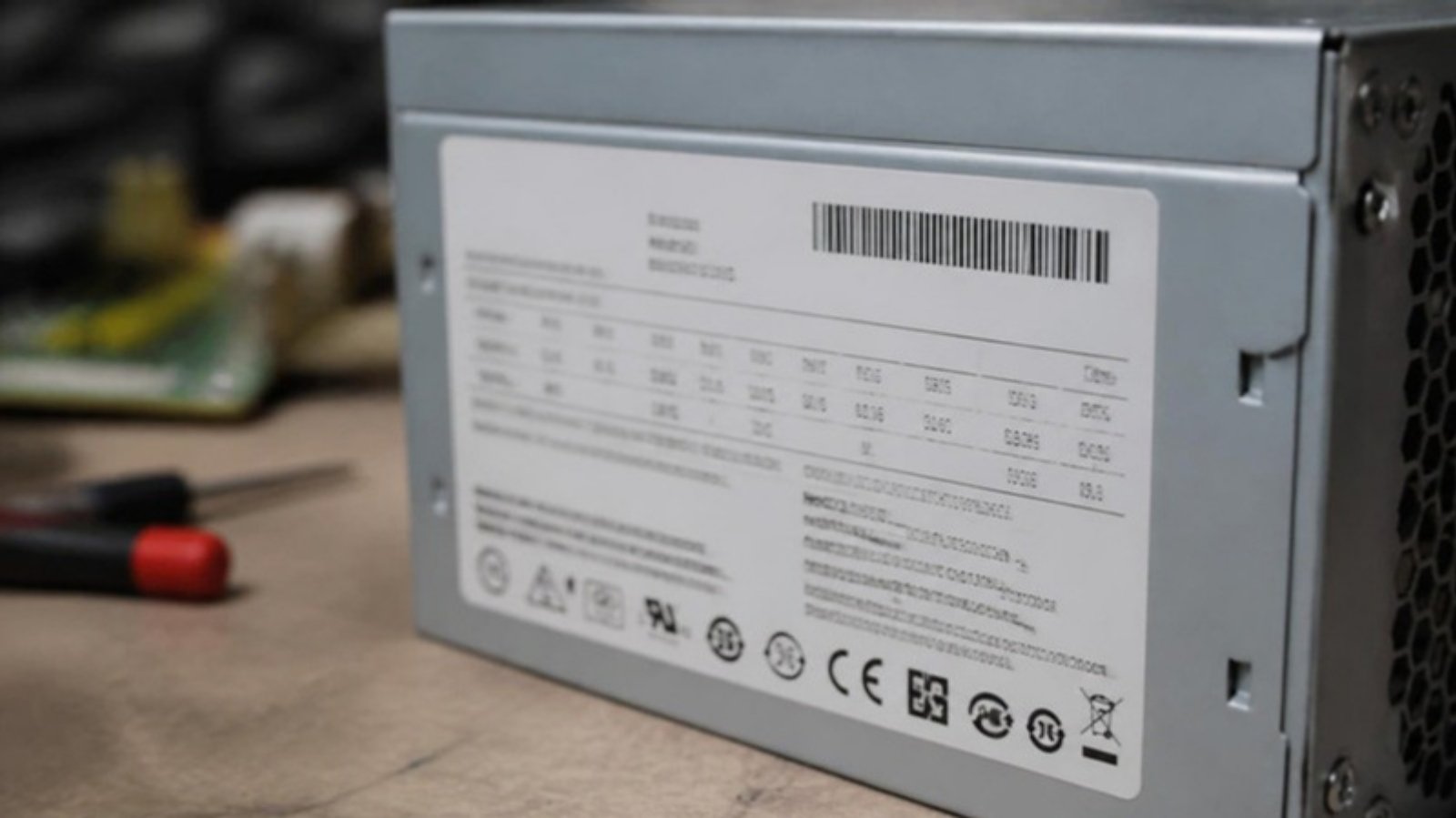
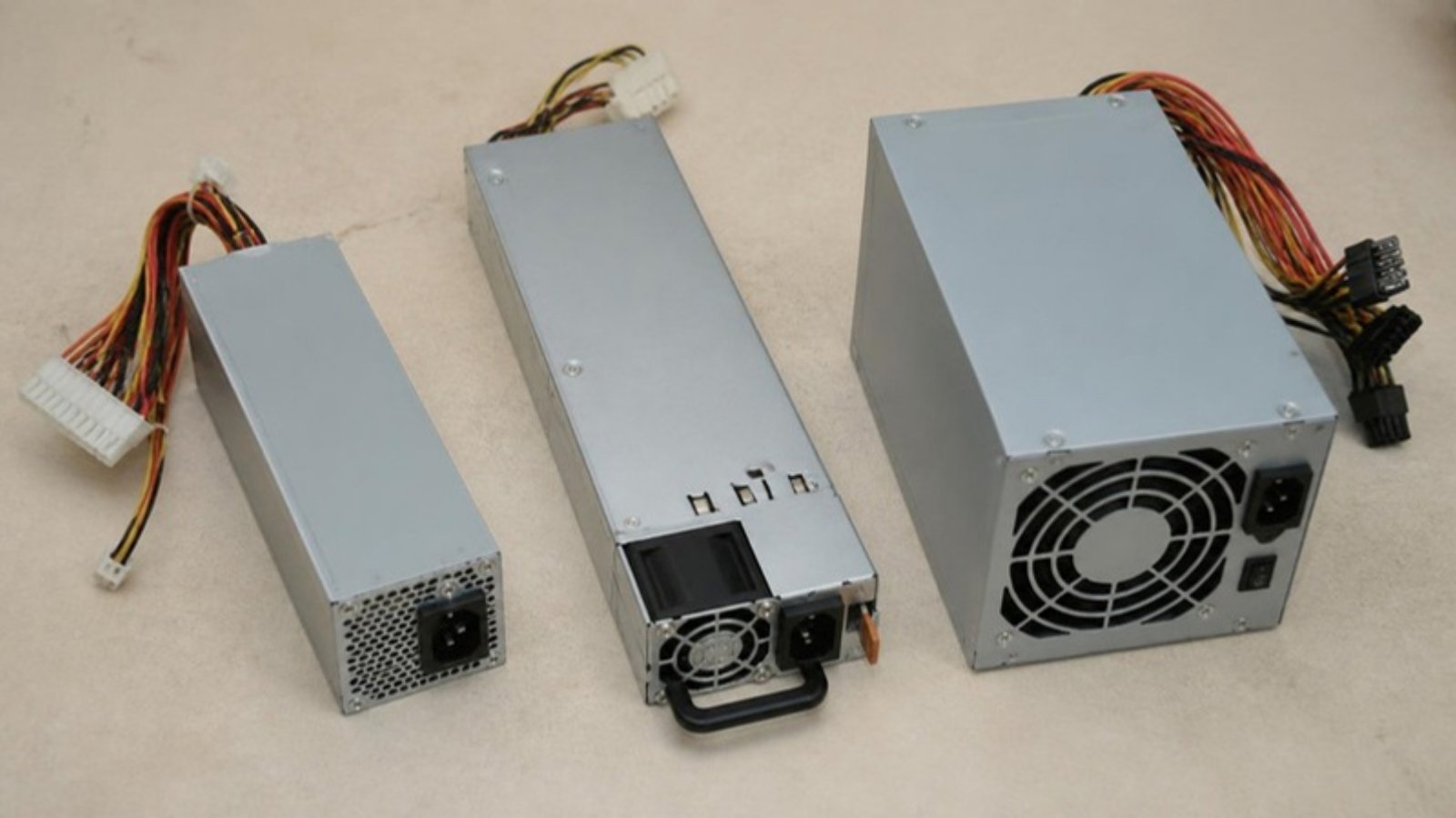
A Dell power supply label can show three or four different codes, and customers often send us the wrong one. This guide explains which number matters, what the prefixes mean, and how to use them to order the right replacement PSU.
The Codes on a Typical Dell PSU Label
Code type
Example
What it is
Use it to order?
Dell Part Number (DPN)
GRTNK or 0GRTNK
Dell’s own 5-character part number; often printed with a leading 0
Yes, best choice
Full label (PPID)
CN-0GRTNK-xxxxx-xxx-xxxx-A00
Country + DPN + supplier/date/serial + revision
Yes. Just read the middle part (0GRTNK)
Manufacturer model
L495E-S0, D495E-S0, DPS-495AB
The OEM factory’s model number for the same Dell part
Useful as a cross-check
Wattage
495W
Output rating
Never on its own
Illustrative image.
Reading the Dell Part Number
The DPN is 5 alphanumeric characters, e.g. GRTNK, F9F51, VPR1M, 787J3.
A leading 0 is commonly added: 0GRTNK = GRTNK. Both refer to the same part.
On the full CN-0XXXXX-… label, “CN” is the country of manufacture (China). Other codes include MY (Malaysia), TW, MX and so on. The country code doesn’t affect compatibility.
The last characters (e.g. A00, A01) are the revision. Revisions of the same DPN are normally interchangeable.
What DPS-, L- and D- Mean
Dell doesn’t build most of its PSUs itself. The manufacturer model tells you which factory made it:
DPS-xxx / D-xxx: made by Delta Electronics
L-xxx / PS-xxxx: made by Lite-On
Other OEMs you may see include AcBel, Chicony and HiPro
One Dell part number can have several OEM versions. For example, the 495W GRTNK exists in both Lite-On (L495E-S0) and Delta (D495E-S0) versions, and both work in the same server. That’s why the Dell part number is the safer reference than the OEM model.
Multiple Dell Part Numbers for One PSU
Dell often issues several part numbers for functionally equivalent PSUs. This is why some of our listings show more than one number:
Desktop PSUs work the same way. OptiPlex SFF units from different generations use different connectors (for example, 24-pin vs 6-pin vs 4-pin motherboard power):
You walk into the server room and one of the power supplies has an amber or orange light instead of the usual green. The server is still running, so is it urgent? In most cases, yes. Your server has probably lost its power redundancy. If the second PSU fails, the whole machine goes down.
This guide explains what the common LED states mean on Dell PowerEdge and HP ProLiant power supplies, what to check before buying a replacement, and how to get the correct part quickly.
What the PSU LED Colours Usually Mean
LED state
Typical meaning
Action
Solid green
AC power OK, PSU working normally
No action
Off
No AC input: cord unplugged, PDU/UPS outlet off, or PSU dead
Check the cord and outlet first
Solid or blinking amber
PSU fault: failed PSU, fan, or internal component
Check the logs, then plan a replacement
Blinking green (Dell)
Firmware update in progress, or PSU mismatch
Don’t unplug during an update; check the PSU wattage matches
Green and amber alternating (Dell)
PSU mismatch: different wattage or efficiency from the other PSU
Replace it with the same model as the working PSU
Exact LED behaviour varies by server generation. Always confirm with the server’s own management log (see below).
Illustrative image.
Step 1: Rule Out the Simple Causes
Power cord. Make sure it is firmly seated. Hot-swap PSUs usually use a C13/C14 cord, and larger PSUs (1100W+) often use C19/C20.
Outlet / PDU / UPS. Plug the cord into a known-good outlet. A tripped PDU breaker often shows up as an amber PSU.
Re-seat the PSU. On hot-swap models, pull the PSU out and push it back in until it clicks. Only do this if the other PSU is showing green.
Step 2: Check the Management Log
Dell PowerEdge: iDRAC → System Event Log. Look for messages such as “Power supply 1 failed”, “PSU redundancy lost” or “Power supply mismatch”.
HP ProLiant: iLO → Integrated Management Log (IML) or the Power Information page.
If there’s no iDRAC/iLO access, the front LCD panel (on some models) or the LED on the PSU handle is your main indicator.
A “mismatch” message means the PSU itself may be fine but doesn’t match its partner (for example, 495W next to 750W). A “failed” message means the PSU needs replacing.
Step 3: Identify the Exact Replacement
Don’t order by wattage alone. Many PSUs share the same wattage but have different connectors, form factors or firmware. Before asking for a quote, collect:
Server model (e.g. PowerEdge R730, ProLiant DL380 Gen9)
PSU part number from the label (Dell example: 0GRTNK; HP example: 499249-001)
Wattage, and the model of the PSU that’s still working
Technically yes, as long as the remaining PSU can carry the load. But you have no redundancy, and a single PSU running at a higher load ages faster. Treat an amber PSU as a planned replacement within days, not months, especially for production servers.
Frequently Asked Questions
Can I replace a hot-swap PSU without shutting down the server?
Yes. On redundant hot-swap systems you can replace the failed PSU while the server runs, provided the other PSU is healthy (green).
Can I use a higher-wattage PSU as a replacement?
Mixing wattages usually triggers a mismatch warning. Best practice is to match the existing PSU, or replace both as a pair.
My PSU is off, not amber. Is it dead?
Not necessarily. Check the cord and outlet first. If AC is confirmed and the LED is still off, the PSU has most likely failed.
My server model is old or discontinued. Can I still get a PSU?
Send us the server model, a photo of the PSU label and the quantity you need. We’ll confirm compatibility before you order. Request a Quote or WhatsApp +607-359 6955.
Power supply server rosak, tetapi rekod pembelian cuma tulis “server PSU”. Maklumat itu biasanya belum cukup untuk mencari unit pengganti yang betul.
Nombor yang paling berguna selalunya ada pada label power supply lama. Sebelum minta sebut harga, kenal pasti model server dan catat semua nombor pada unit tersebut.
Mulakan dengan model penuh server
Catat jenama dan model penuh server. Masukkan juga generation atau machine type jika ada.
Ayat seperti “Dell server” atau “HP power supply” terlalu umum. Satu jenama mempunyai banyak model dan reka bentuk PSU yang berbeza.
Di mana label PSU berada?
Untuk removable server PSU, label biasanya dilekatkan pada bahagian atas, tepi atau bawah casing besi. Kadang-kadang unit perlu dikeluarkan sebelum label boleh dilihat.
Kerja ini mesti dibuat oleh orang yang dibenarkan dan tahu cara mengendalikan server. Jangan buka casing PSU. Komponen di dalamnya boleh menyimpan tenaga elektrik walaupun plug sudah dicabut.
Illustrative image.
Nombor mana yang perlu dicatat?
Satu label mungkin mempunyai banyak nombor. Cari perkataan seperti:
Part number atau P/N.
Spare number atau SP number.
Model.
Assembly number.
Revision.
Wattage.
Salin nombor penuh, termasuk huruf, tanda sengkang dan angka kosong di hadapan. Jangan ambil sebahagian sahaja kerana nombor yang hampir sama mungkin merujuk kepada revision lain.
Kenapa watt sahaja tidak cukup?
Dua PSU boleh sama-sama mempunyai kuasa 750W tetapi masih tidak serasi. Saiz, connector, sistem komunikasi, reka bentuk dan generation server mungkin berbeza.
Wattage ialah salah satu perkara untuk disemak, bukan satu-satunya cara memilih pengganti.
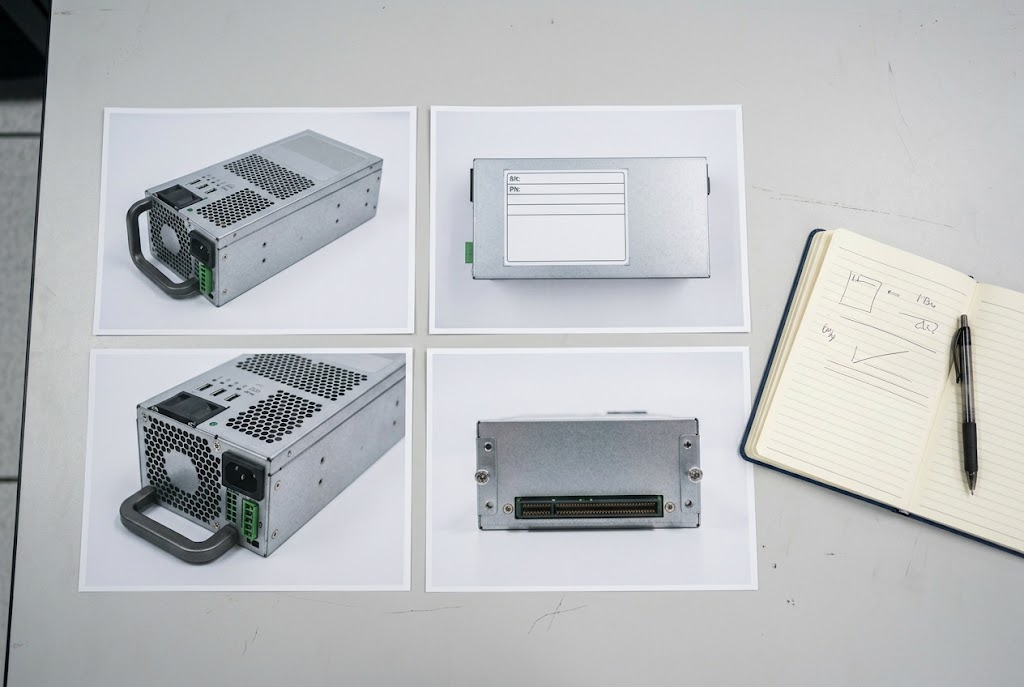
Empat gambar yang sangat membantu
Gambar penuh PSU.
Gambar label yang dekat dan jelas.
Bahagian pemegang, kipas dan hujung luar.
Bahagian connector yang masuk ke dalam server.
Ambil juga gambar label model server atau maklumat daripada management screen jika sesuai. Tutup serial number sulit dan asset tag pelanggan jika tidak diperlukan.
Illustrative image.
Semak cara PSU digunakan
Ada server menggunakan dua atau lebih power supply untuk redundancy. Catat jumlah PSU yang sedang dipasang dan sama ada unit baharu perlu digunakan bersama PSU lama.
Jangan anggap dua PSU boleh dicampurkan hanya kerana kedua-duanya muat. Minta pihak IT atau pemilik teknikal mengesahkan keperluan sistem.
Kalau label sudah rosak atau tidak boleh dibaca
Semak rekod pembelian lama, laporan maintenance dan hardware-management interface server. Sesetengah server menyimpan maklumat PSU secara elektronik.
Dokumentasi rasmi pengeluar juga boleh membantu apabila model penuh server atau service reference diketahui.
Maklumat untuk permintaan sebut harga
Jenama dan model penuh server.
Part number dan spare number PSU lama.
Wattage dan revision.
Jumlah PSU yang dipasang.
Gambar label dan connector.
Kuantiti diperlukan.
Lokasi penghantaran di Malaysia.
Penting: Jangan keluarkan atau menggantikan PSU pada server yang sedang beroperasi tanpa mengikuti prosedur teknikal syarikat. Rujuk orang IT yang bertanggungjawab jika tidak pasti.
Minta sebut harga server PSU Hantar model penuh server, part number atau spare number PSU lama, gambar yang jelas, kuantiti dan lokasi penghantaran di Malaysia supaya pilihan sourcing boleh dinilai.
Your server power supply has failed, but the purchase record only says “server PSU”. That description is usually not enough to find the correct replacement.
The most useful information is normally printed on the power supply itself. Before asking for a quotation, identify the server and record the numbers on the old unit.
Begin with the server model
Record the server manufacturer and complete model. Include the generation or machine type when it is shown.
A broad description such as “Dell server” or “HP power supply” covers many different systems. Even servers that look similar may use different PSU designs.
Where to look on the PSU
On a removable server PSU, the label is commonly attached to the top, side or underside of the metal casing. You may need to remove the unit to see it, but this should only be done by someone who is authorised and familiar with the equipment.
Do not open the PSU casing. A power supply can contain dangerous electrical energy even after it has been disconnected.
Illustrative image.
Which number should you record?
A server PSU label may contain several numbers. Look for terms such as:
Part number or P/N.
Spare number or SP number.
Model.
Assembly number.
Revision.
Wattage.
Record the complete value, including letters, dashes and leading zeroes. A shortened number may refer to a different revision or assembly.
Why wattage is not enough
Two server power supplies can both be rated at 750 watts and still be different. Their physical size, connector, firmware communication, efficiency class or supported server generation may not match.
Use wattage as one check, not as the only way to choose a replacement.
Take four useful photos
The complete PSU.
A close, readable picture of the label.
The handle, fan and outer end.
The connector side that enters the server.
Also photograph the server model label or management-screen details where appropriate. Hide confidential serial numbers and customer asset tags unless they are required for the support process.
Illustrative image.
Check how the server uses its PSUs
Some servers use two or more power supplies for redundancy. Record how many are installed and whether the new unit needs to operate beside an existing PSU.
Do not assume that two PSUs can be mixed simply because both fit. Ask the server administrator or technical owner to confirm the operating requirement.
What if the label cannot be read?
Check previous purchase records, maintenance reports and the server’s hardware-management interface. Some systems record PSU details electronically. Manufacturer support documentation may also help when the complete server model or service reference is available.
Dell, for example, documents how a PowerEdge PSU part number can be read from its label or recorded through iDRAC. The exact method depends on the server.
Information to send for a quotation
Server manufacturer and full model.
Existing PSU part and spare numbers.
Wattage and revision.
Number of PSUs installed.
Clear label and connector photos.
Quantity required.
Malaysian delivery location.
Important: Do not replace or remove a live server PSU unless your technical procedure allows it. Ask the responsible IT person when there is any doubt.
Request a server PSU quotation Send the full server model, existing PSU part or spare numbers, clear photographs, quantity and delivery location in Malaysia so available sourcing options can be assessed.
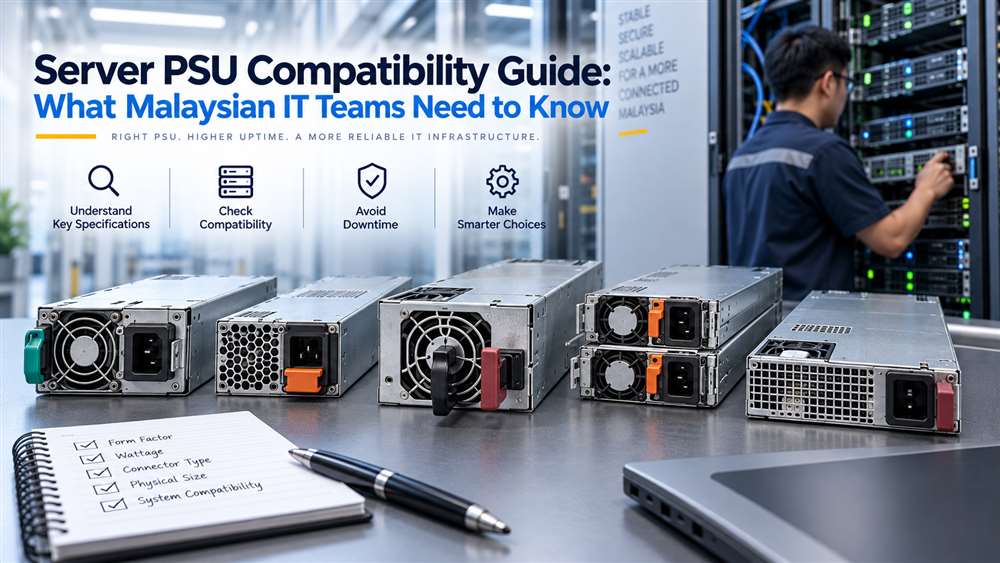
Quick Summary This guide helps buyers identify the server details needed to source a compatible replacement PSU. It is useful when a server power supply fails or a business needs a verified spare.
A server power supply unit is not a generic interchangeable component. This guide is designed for IT managers, system administrators and procurement teams responsible for maintaining business infrastructure. Whether the requirement is a planned replacement, a spare for critical hardware or support for an older server, compatibility should be checked before an order is raised.
A PSU mismatch can prevent a server from starting, trigger system alerts, affect redundant power operation or create an avoidable outage. In Malaysia, where replacement lead times can influence operational continuity, accurate identification is especially important for branch offices, data rooms, manufacturing systems and enterprise IT environments.
Important: Start with the exact server model and existing PSU reference; wattage alone is not enough.
Start With the Exact Server Model
The server’s exact make, model and existing PSU reference should form the basis of every purchase request. “Dell server PSU” or “HP power supply” is usually not enough information for a compatibility assessment.
Collect the following details:
Server manufacturer and complete model
Chassis type and generation
Existing PSU part number or spare part number
PSU wattage and input/output label details
Whether the server uses redundant power supplies
Quantity of PSUs currently installed
Photographs of the PSU label and connector side, if available
Urgency and intended deployment location
If the existing PSU has failed, the label may still be readable after removal. If it is not, the server’s service information, maintenance records or system management interface may provide useful references.
Illustrative image.
Understand Form Factor and Mechanical Fit
A server PSU must fit the physical chassis correctly. Rack servers, tower servers, blade systems and storage appliances may use distinctly different PSU designs.
Key mechanical checks include:
PSU dimensions and handle position
Location of locking mechanisms
Airflow direction
Connector placement
Hot-swap or fixed-install design
Chassis bay arrangement
Two power supplies with similar wattage are not necessarily interchangeable. A unit may be electrically capable in theory but still fail to fit the server bay or connect to the internal power distribution board.
For hot-swappable systems, it is also important to confirm whether the replacement is intended for the same server generation. Manufacturers may change physical and electrical designs between server generations, even when product names appear similar.
Verify Electrical Requirements
PSU wattage is a useful reference but should not be treated as the only requirement. The power supply must support the server’s configuration, including processors, memory, storage drives, RAID controllers, network cards, accelerators and other installed components.
A lower-capacity replacement may not provide enough headroom for the configured hardware. This can result in power warnings, failed startup attempts or restricted operation. Conversely, selecting a higher-capacity unit without checking compatibility may still be unsuitable due to chassis, firmware or connector differences.
Procurement teams should also verify the input power environment. Malaysian facilities commonly operate on mains power appropriate for enterprise equipment, but the PSU label and local electrical installation should still be reviewed. For server rooms with UPS systems, ensure that the combined server load is considered during planning.
Illustrative image.
Redundant PSU Systems Require Extra Attention
Many business servers are configured with redundant PSUs. In a redundant setup, more than one PSU shares the load so that the server can continue operating if one supply fails, subject to the server design and power configuration.
When replacing one unit, check:
Whether the remaining installed PSU has the same reference
Whether both units are expected to match in capacity and type
Whether the server supports mixed PSU configurations
Whether the replacement will be used as an active unit or cold spare
Whether the server has reported any power redundancy alerts
Mixing different PSU models without verification can lead to loss of redundancy, warning messages or inconsistent system behaviour. The practical approach is to match the existing PSU reference wherever possible.
For critical infrastructure, it is prudent to replace a failed unit promptly rather than continue operating indefinitely without redundancy.
Firmware, Management Alerts and Vendor-Specific Designs
Modern servers may monitor power supply health through system management tools. A physically installed PSU may still generate alerts if the system does not recognise it as compatible.
Common signs of an issue include:
PSU status shown as degraded or unavailable
Power redundancy warning
Fan speed changes
Hardware inventory alerts
Server refusing to power on after installation
These issues are not always caused by a defective PSU. They can result from an incorrect part, an unsupported generation or an incompatible revision. Give the supplier as much identification information as possible so that the proposed replacement is assessed against the actual server configuration.
Planning Spares for Business Continuity
For organisations operating multiple similar servers, standardised spare planning can reduce downtime. Keep a record of installed server models, PSU part references, redundancy status and physical locations.
Consider holding a spare PSU when the server supports an important business system, such as:
File and backup services
Production databases
Virtualisation hosts
Network management platforms
Factory or warehouse applications
CCTV or access-control recording systems
The appropriate spare quantity depends on the criticality of the system, equipment age and service strategy. There is no universal answer, but a documented plan is preferable to sourcing only after a failure occurs.
Frequently Asked Questions
Can I replace a server PSU using only the wattage rating?
No. Wattage alone does not confirm compatibility. Check the server model, PSU part number, physical form factor, connector arrangement and redundancy requirements.
Should both redundant server PSUs be identical?
In most cases, matching installed units is the safer approach. Verify the server manufacturer’s compatibility guidance before mixing PSU models or capacities.
What should I provide for a server PSU quotation?
Provide the server make and model, existing PSU part number, PSU label photo, redundancy setup and required quantity. This helps avoid incorrect replacement selection.
Verified Server PSU Examples
These products illustrate how wattage, part number, physical design, connector and server family all affect compatibility.
Selected Synology RackStation and expansion systems; verify the exact NAS model and PSU reference.
Important: These examples are identification references, not a universal compatibility list. Match the installed PSU reference and complete system model before ordering.
Request a server PSU quotation Send the server brand/model, PSU part or spare number, revision, wattage, connector details or photo, quantity and delivery location in Malaysia. NJ Bravo can then assess available sourcing options against the information provided.
Quick Summary Use this guide to check a replacement laptop adaptor against the laptop model, power requirement and connector before ordering. It helps non-technical buyers avoid charging and compatibility problems.
Choosing the right replacement laptop power adaptor for Dell, HP or Lenovo equipment is a procurement decision that affects uptime, battery performance and device safety. For Malaysian businesses managing employee laptops, field-service units or shared workstations, the priority is not simply finding an adaptor that fits physically. The replacement must match the laptop’s electrical requirements, connector type and, where applicable, brand-specific identification system.
An incorrect adaptor may fail to charge the battery properly, display warning messages, reduce performance or create unnecessary risk to the laptop and connected equipment. This guide outlines the practical checks procurement teams should complete before ordering replacement laptop power adaptors.
Important: Match the output voltage before considering connector shape or wattage.
Choose a Compatible Replacement Laptop Power Adaptor
The most reliable starting point is the original adaptor label or the laptop manufacturer’s documented power requirement. Record the following details before requesting a quotation:
Laptop brand and full model number
Original adaptor part number, if available
Output voltage
Output current or wattage
Connector type and size
Whether the laptop uses USB-C charging
Quantity required and intended use, such as desktop replacement, travel spare or service stock
Do not rely only on the laptop’s brand. Dell, HP and Lenovo each have multiple product ranges, and even laptops from the same manufacturer may use different connector types, wattages and charging methods.
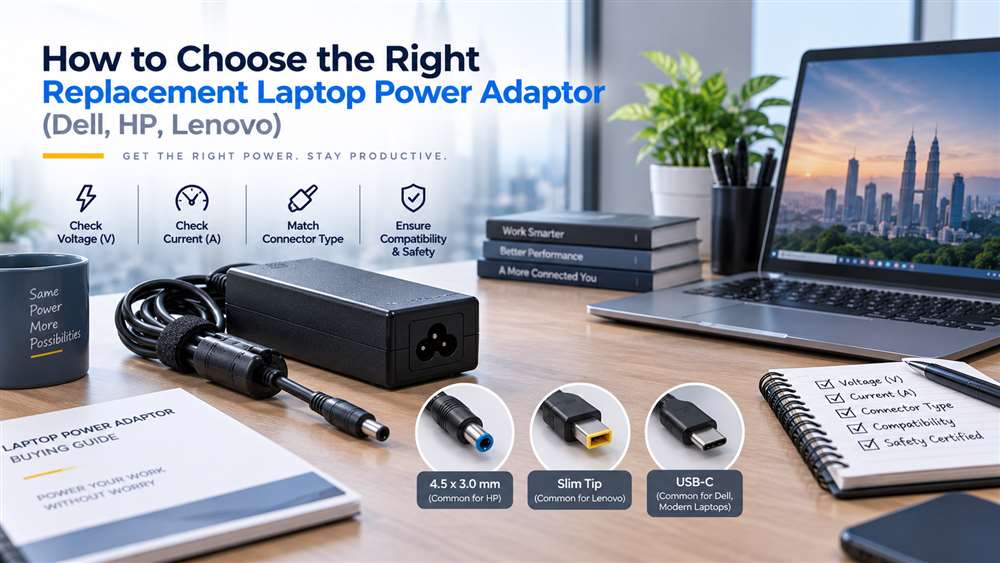
Illustrative image.
Match the Output Voltage First
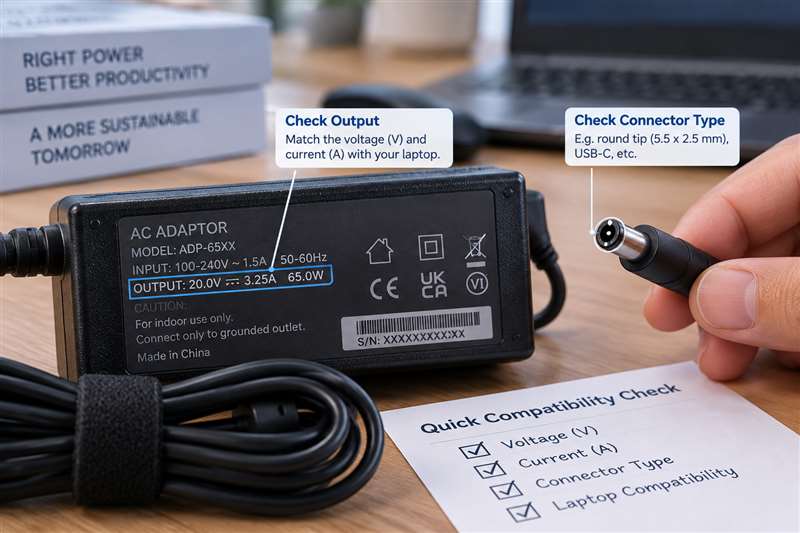
Voltage is the most important electrical factor. The adaptor’s output voltage should match the laptop’s stated input requirement. A close-looking connector does not make an adaptor suitable if the voltage is incorrect.
Many laptop adaptors use similar voltage ranges, but procurement teams should verify the label instead of assuming interchangeability. Voltage information is usually printed beside “Output” on the adaptor label and may also appear on the laptop’s underside or manufacturer documentation.
Where the original adaptor is unavailable, provide the laptop model and service tag or serial reference where appropriate. This gives the supplier a better basis for identifying a suitable replacement.
Check Wattage and Current Capacity
After confirming voltage, assess the adaptor’s power capacity. Wattage is generally calculated from voltage multiplied by current. A replacement adaptor should provide sufficient power for the laptop’s normal use.
This matters particularly for:
Mobile workstations
Laptops with dedicated graphics
Engineering, design or development devices
Models connected to docks or multiple peripherals
Older business laptops that may have higher power demands than compact modern units
Using an adaptor with insufficient capacity can lead to slow charging, intermittent charging or reduced laptop performance under load. Some systems may also limit processing speed when they do not detect an adequate power source.
A higher-capacity adaptor is not automatically appropriate. It must still have the correct voltage, connector and compatible charging design. Procurement teams should ask for confirmation based on the exact laptop model rather than selecting by wattage alone.
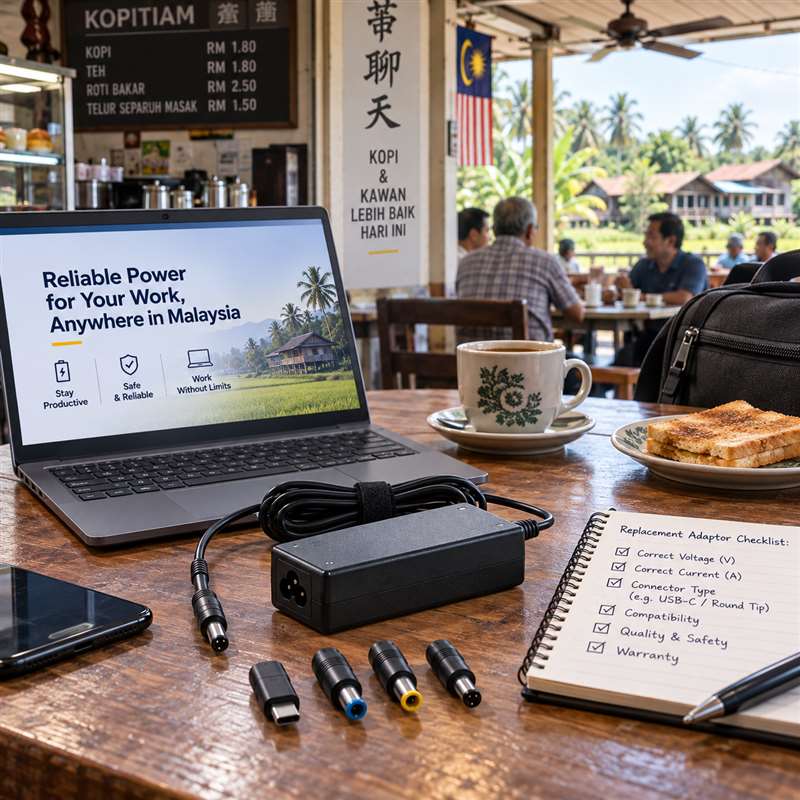
Illustrative image.
Identify the Connector Type
Laptop adaptor connectors have evolved significantly. Common formats include round barrel connectors, slim-tip connectors and USB-C connectors. Even within the Dell, HP and Lenovo ecosystems, connectors may differ between older and newer model families.
For round or slim connectors, verify:
External connector shape
Internal pin or contact arrangement
Plug diameter where relevant
Cable orientation and strain-relief design
Whether the original adaptor uses a centre pin or smart-pin system
For USB-C laptops, a charger must support the appropriate USB-C power delivery capability for the laptop. Not every USB-C charger is suitable for every USB-C laptop, especially where the laptop requires more power than a basic phone or tablet charger can provide.
A clear photograph of the original adaptor label and connector is often useful when requesting a quote for a replacement.
Consider Brand Identification and Intelligent Charging Features
Certain Dell, HP and Lenovo models use adaptor identification methods that allow the laptop to recognise an approved or compatible power source. This can influence charging behaviour and system warnings.
For example, some laptops may display a message if they cannot identify the adaptor correctly, even when the connector physically fits. In these cases, the laptop might power on but charge slowly, refuse to charge the battery or operate with reduced performance.
This is why generic “universal” adaptors should be assessed carefully in a business environment. They may be suitable for selected applications, but they are not the best default choice when reliable charging and predictable compatibility are required.
For fleet procurement, standardising on verified replacement options for each laptop model can reduce support tickets and avoid confusion at branch offices or customer sites.
Original, OEM-Compatible and Replacement Options
Businesses usually evaluate three broad categories:
Original manufacturer adaptors
OEM-compatible adaptors from established sources
Third-party universal adaptors
Original manufacturer units are often preferred where procurement policy, warranty considerations or manufacturer-specific charging requirements apply. OEM-compatible replacement adaptors may be appropriate when they are selected against the correct laptop model and electrical requirements.
Universal adaptors can be useful for temporary or multi-device use, but they introduce more variables: interchangeable tips, adjustable settings and differing output capabilities. They should not be issued without a clear compatibility check.
For important roles such as finance, technical support, sales engineering or on-site service teams, keeping a verified spare adaptor can be more cost-effective than losing a working day to a charging issue.
Build a Better Procurement Checklist
Before placing an order, confirm:
Full laptop model and brand
Original adaptor output voltage and wattage
Connector type or USB-C charging requirement
Original adaptor part number, if readable
Whether the laptop is used with a dock or high-power peripherals
Required quantity and delivery location in Malaysia
Whether the item is intended as a permanent replacement or contingency spare
For larger laptop fleets, maintain an internal register of laptop models and approved adaptor types. This reduces repeat research, helps new procurement staff and supports faster response when employees report lost or damaged adaptors.
Frequently Asked Questions
Can I use a Dell adaptor on an HP or Lenovo laptop?
Not as a general rule. Even where voltage and connectors appear similar, brand identification features, wattage requirements and connector designs can differ. Verify compatibility against the specific laptop model.
Is a higher-wattage laptop adaptor always safe?
Not automatically. The adaptor must still match the laptop’s voltage, connector and charging requirements. Confirm suitability before purchasing.
What information should I send when requesting a replacement adaptor quote?
Provide the laptop brand, full model number, original adaptor part number if available, output details from the label and a connector photograph where possible.
Verified Laptop Adaptor Examples
The following products illustrate why equal wattage alone does not confirm compatibility. Voltage, connector, charging protocol and the laptop model must still match.
Important: Verify the original adaptor label and laptop input requirement. A connector that fits physically does not by itself prove electrical or charging compatibility.
Request a laptop power adaptor quotation Send the laptop brand, full model number, original adaptor part number if available, voltage/wattage, connector photo, quantity and delivery location in Malaysia. NJ Bravo can then assess available sourcing options against the information provided.