
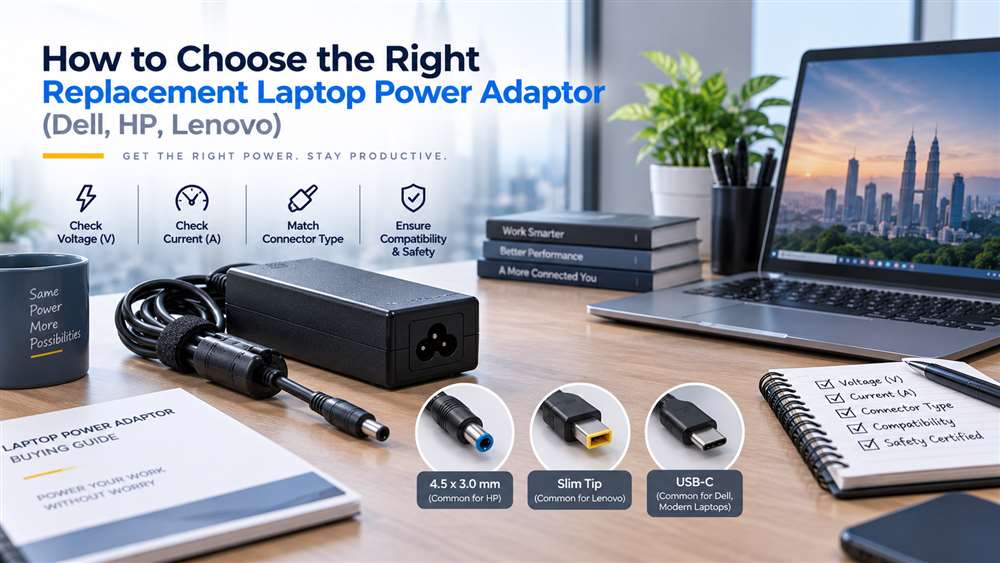
Use this guide to check a replacement laptop adaptor against the laptop model, power requirement and connector before ordering. It helps non-technical buyers avoid charging and compatibility problems.
Choosing the right replacement laptop power adaptor for Dell, HP or Lenovo equipment is a procurement decision that affects uptime, battery performance and device safety. For Malaysian businesses managing employee laptops, field-service units or shared workstations, the priority is not simply finding an adaptor that fits physically. The replacement must match the laptop’s electrical requirements, connector type and, where applicable, brand-specific identification system.
An incorrect adaptor may fail to charge the battery properly, display warning messages, reduce performance or create unnecessary risk to the laptop and connected equipment. This guide outlines the practical checks procurement teams should complete before ordering replacement laptop power adaptors.
Choose a Compatible Replacement Laptop Power Adaptor
The most reliable starting point is the original adaptor label or the laptop manufacturer’s documented power requirement. Record the following details before requesting a quotation:
- Laptop brand and full model number
- Original adaptor part number, if available
- Output voltage
- Output current or wattage
- Connector type and size
- Whether the laptop uses USB-C charging
- Quantity required and intended use, such as desktop replacement, travel spare or service stock
Do not rely only on the laptop’s brand. Dell, HP and Lenovo each have multiple product ranges, and even laptops from the same manufacturer may use different connector types, wattages and charging methods.
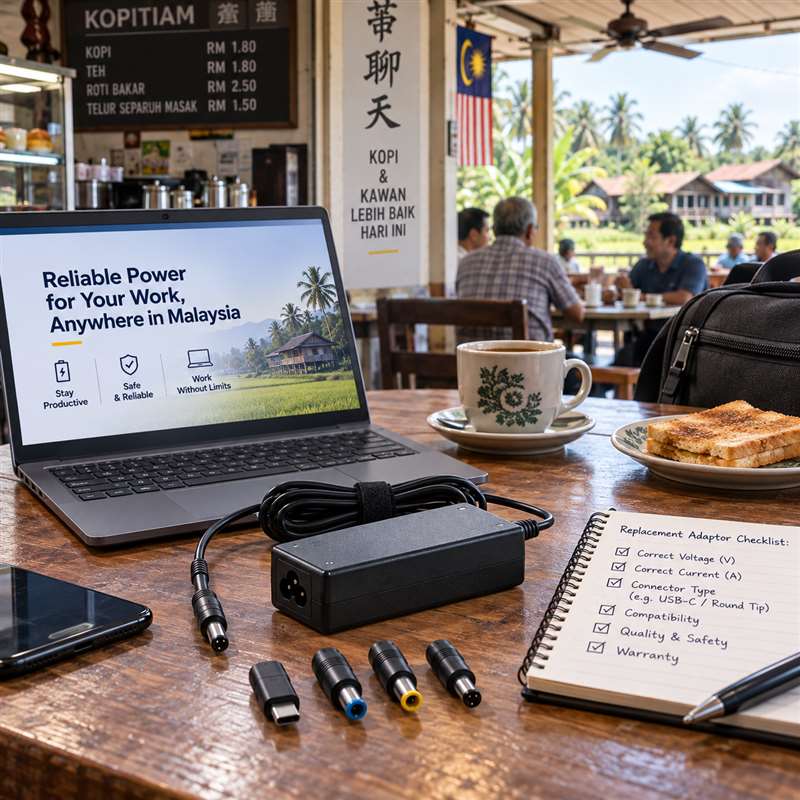
Match the Output Voltage First
Voltage is the most important electrical factor. The adaptor’s output voltage should match the laptop’s stated input requirement. A close-looking connector does not make an adaptor suitable if the voltage is incorrect.
Many laptop adaptors use similar voltage ranges, but procurement teams should verify the label instead of assuming interchangeability. Voltage information is usually printed beside “Output” on the adaptor label and may also appear on the laptop’s underside or manufacturer documentation.
Where the original adaptor is unavailable, provide the laptop model and service tag or serial reference where appropriate. This gives the supplier a better basis for identifying a suitable replacement.
Check Wattage and Current Capacity
After confirming voltage, assess the adaptor’s power capacity. Wattage is generally calculated from voltage multiplied by current. A replacement adaptor should provide sufficient power for the laptop’s normal use.
This matters particularly for:
- Mobile workstations
- Laptops with dedicated graphics
- Engineering, design or development devices
- Models connected to docks or multiple peripherals
- Older business laptops that may have higher power demands than compact modern units
Using an adaptor with insufficient capacity can lead to slow charging, intermittent charging or reduced laptop performance under load. Some systems may also limit processing speed when they do not detect an adequate power source.
A higher-capacity adaptor is not automatically appropriate. It must still have the correct voltage, connector and compatible charging design. Procurement teams should ask for confirmation based on the exact laptop model rather than selecting by wattage alone.
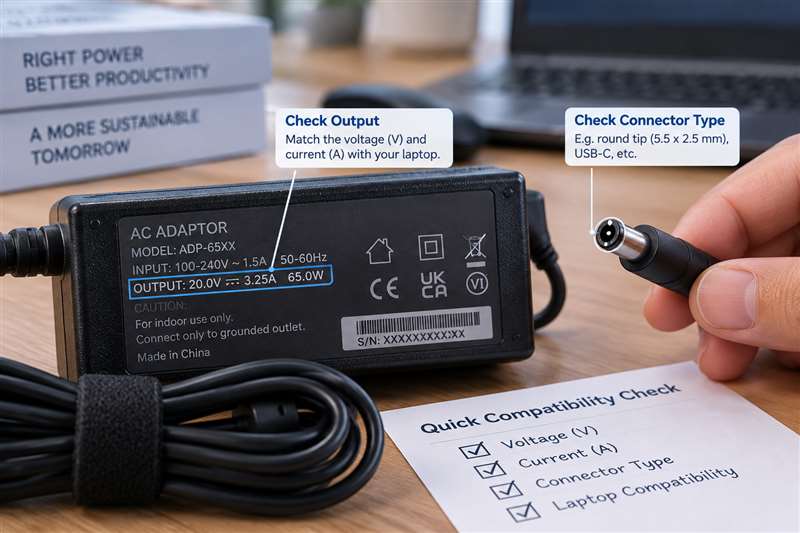
Identify the Connector Type
Laptop adaptor connectors have evolved significantly. Common formats include round barrel connectors, slim-tip connectors and USB-C connectors. Even within the Dell, HP and Lenovo ecosystems, connectors may differ between older and newer model families.
For round or slim connectors, verify:
- External connector shape
- Internal pin or contact arrangement
- Plug diameter where relevant
- Cable orientation and strain-relief design
- Whether the original adaptor uses a centre pin or smart-pin system
For USB-C laptops, a charger must support the appropriate USB-C power delivery capability for the laptop. Not every USB-C charger is suitable for every USB-C laptop, especially where the laptop requires more power than a basic phone or tablet charger can provide.
A clear photograph of the original adaptor label and connector is often useful when requesting a quote for a replacement.
Consider Brand Identification and Intelligent Charging Features
Certain Dell, HP and Lenovo models use adaptor identification methods that allow the laptop to recognise an approved or compatible power source. This can influence charging behaviour and system warnings.
For example, some laptops may display a message if they cannot identify the adaptor correctly, even when the connector physically fits. In these cases, the laptop might power on but charge slowly, refuse to charge the battery or operate with reduced performance.
This is why generic “universal” adaptors should be assessed carefully in a business environment. They may be suitable for selected applications, but they are not the best default choice when reliable charging and predictable compatibility are required.
For fleet procurement, standardising on verified replacement options for each laptop model can reduce support tickets and avoid confusion at branch offices or customer sites.
Original, OEM-Compatible and Replacement Options
Businesses usually evaluate three broad categories:
- Original manufacturer adaptors
- OEM-compatible adaptors from established sources
- Third-party universal adaptors
Original manufacturer units are often preferred where procurement policy, warranty considerations or manufacturer-specific charging requirements apply. OEM-compatible replacement adaptors may be appropriate when they are selected against the correct laptop model and electrical requirements.
Universal adaptors can be useful for temporary or multi-device use, but they introduce more variables: interchangeable tips, adjustable settings and differing output capabilities. They should not be issued without a clear compatibility check.
For important roles such as finance, technical support, sales engineering or on-site service teams, keeping a verified spare adaptor can be more cost-effective than losing a working day to a charging issue.
Build a Better Procurement Checklist
Before placing an order, confirm:
- Full laptop model and brand
- Original adaptor output voltage and wattage
- Connector type or USB-C charging requirement
- Original adaptor part number, if readable
- Whether the laptop is used with a dock or high-power peripherals
- Required quantity and delivery location in Malaysia
- Whether the item is intended as a permanent replacement or contingency spare
For larger laptop fleets, maintain an internal register of laptop models and approved adaptor types. This reduces repeat research, helps new procurement staff and supports faster response when employees report lost or damaged adaptors.
Frequently Asked Questions
Can I use a Dell adaptor on an HP or Lenovo laptop?
Not as a general rule. Even where voltage and connectors appear similar, brand identification features, wattage requirements and connector designs can differ. Verify compatibility against the specific laptop model.
Is a higher-wattage laptop adaptor always safe?
Not automatically. The adaptor must still match the laptop’s voltage, connector and charging requirements. Confirm suitability before purchasing.
What information should I send when requesting a replacement adaptor quote?
Provide the laptop brand, full model number, original adaptor part number if available, output details from the label and a connector photograph where possible.
Verified Laptop Adaptor Examples
The following products illustrate why equal wattage alone does not confirm compatibility. Voltage, connector, charging protocol and the laptop model must still match.
| Model | Electrical / connector | Example compatible family |
|---|---|---|
| Lenovo 5A11E21014 45W USB-C adaptor | 45W USB-C Power Delivery | Selected IdeaPad, Flex, Chromebook and ThinkPad USB-C models |
| ASUS ADP-45BWA 45W adaptor | 19V 2.37A; 4.0×1.7mm barrel | Selected VivoBook and ZenBook models |
| ASUS ADP-65GD D 65W adaptor | 19V 3.42A; 4.5×3.0mm barrel | Selected ZenBook Pro, ROG and N-Series models |
| ASUS A19-090P2A 90W adaptor | 19V 4.74A; 5.5×2.5mm barrel | Selected ROG, TUF and VivoBook Pro models |
| HP L40098-001 90W adaptor | 19.5V 4.62A; 7.4×5.0mm barrel | Selected Pavilion, EliteBook and ProBook models |
Important: Verify the original adaptor label and laptop input requirement. A connector that fits physically does not by itself prove electrical or charging compatibility.
Related Buying and Sourcing Resources
Browse replacement laptop power adaptors in our catalogue, or see our guides on sourcing discontinued or hard-to-find IT and industrial parts and HDMI, DisplayPort and VGA cables for industrial and office setups. For the full collection, visit NJ Bravo’s Buying Guides.
Send the laptop brand, full model number, original adaptor part number if available, voltage/wattage, connector photo, quantity and delivery location in Malaysia. NJ Bravo can then assess available sourcing options against the information provided.
Related parts in our shop
Common Dell, HP and Lenovo replacement adaptors we supply:
- Dell 65W adaptor W1N63, 4.5×3.0mm: Inspiron / Vostro / Latitude
- Dell 90W adaptor 6C3W2, 7.4×5.0mm: XPS / Inspiron / Latitude
- Dell 65W USB-C adaptor HA65NM190: XPS / Latitude
- HP 65W adaptor TPN-CA16, 4.5×3.0mm: Pavilion / ProBook
- HP 65W USB-C adaptor L65505-008: EliteBook / Spectre / ENVY
- Lenovo 65W rectangle adaptor ADLX65NCC3A: ThinkPad
- Lenovo 65W USB-C adaptor ADLX65YCC3D: ThinkPad / IdeaPad
- Lenovo 170W rectangle adaptor 02DL140: ThinkPad P / Legion
Can’t see your part? Send us the part number and we will source it for you.